Startup Company
Edit date: 6-01-2023, 00:30
Reason: Updated to version 1.24 (23.06.2021)
- Category:
- Release date:
- Game Genre:Strategy, Economic, indie games, simulation elements
- Developer:
- Release:ElAmigos
- Platform:PC
- Languages (subtitles):English, French, Italian, German, Spanish, Russian, Portuguese-Brazil, Dutch, Turkish, Hungarian, Japanese, Korean, Simplified Chinese
- Crack:Codex
- Game size:0.25GB
Game Description
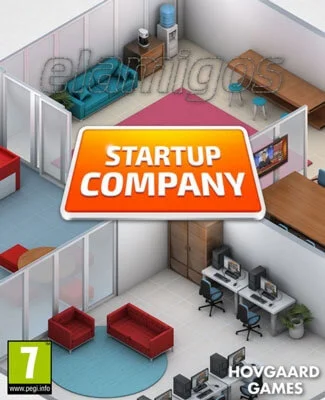
Startup Company PC is an isometric business simulation sandbox from Hovgaard Games about building a technology company around websites, users, employees, servers, and competition. The current Steam storefront still uses the name Startup Company; it has not been replaced by a renamed or definitive PC edition. Hovgaard later described Big Ambitions as its successor, but that is a separate game focused on retail businesses rather than an updated version of Startup Company.
Build a website, then turn it into a business
The central loop begins with a small investment and a simple objective: create a website capable of competing with established technology companies. You choose a website direction, develop useful features, attract users, and keep the service operating as demand grows.
Website development uses a component crafting system. Employees create components that can be combined into modules, servers, and product features, so expansion depends on both staff capacity and the resources available to the company. The result is a management game where product development is an active production chain rather than a single upgrade button.
Traffic creates new problems as quickly as it creates revenue. You must expand hosting capacity, maintain reliable servers, run marketing campaigns, and decide when additional spending is justified. Growth is therefore a balancing act between improving the product, supporting its users, and keeping operating costs under control.
Employees, offices, and operational pressure
Your employees are the main engine behind the company. Recruiting expands the number of tasks you can handle, but every new hire also increases payroll and creates more demands on the office. Staff satisfaction matters because unhappy workers can leave for competitors.
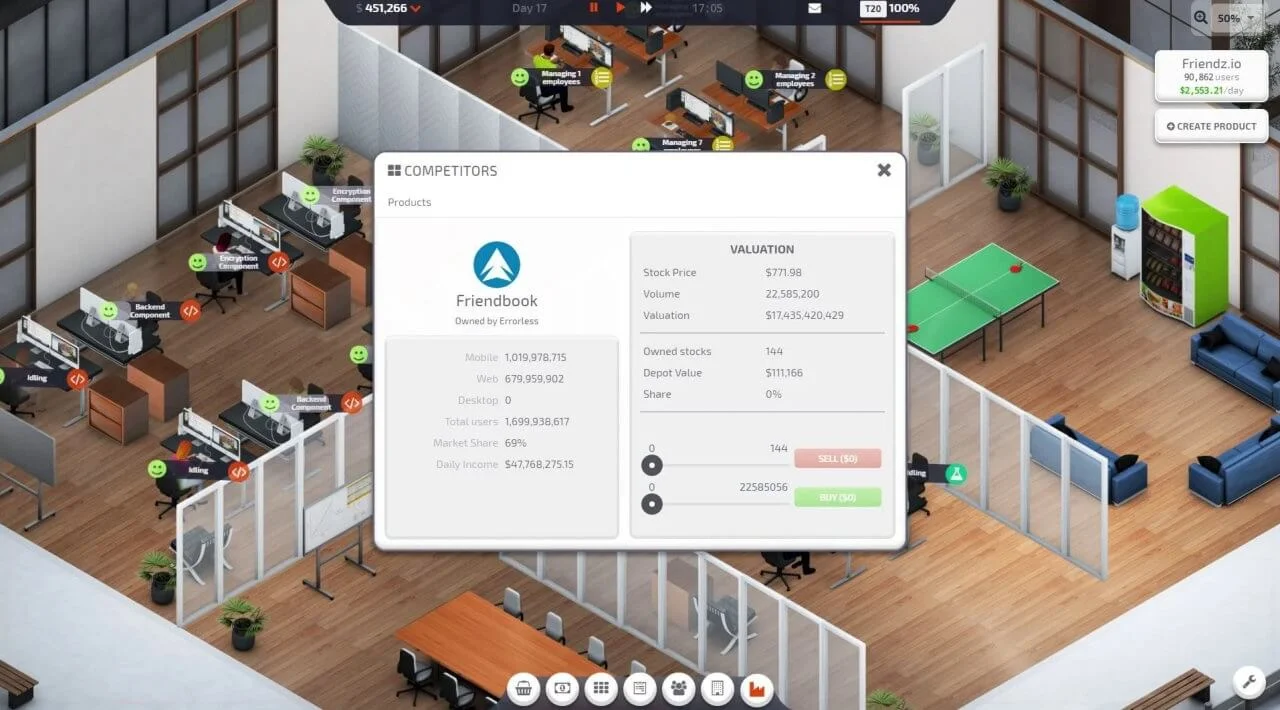
The office is more than a decorative screen. You select a suitable workspace, arrange desks and equipment, and organize the room around the needs of your team. Office layout, employee happiness, and available capacity all become more important as the company moves from a small startup toward a larger organization.
Startup Company does not reduce management to financial charts alone. You are also responsible for the practical conditions that let the business function. Hiring too aggressively can damage cash flow, while delaying recruitment can leave important development and support tasks unfinished.
Websites, users, and competitive strategy
The game gives you several ways to pursue growth. You can improve an existing service, pursue more ambitious website concepts, or use marketing to increase visibility. The official full-release material identifies website types including social, dating, and gaming platforms, giving different companies room to develop distinct identities.
User growth is tied to the quality and capacity of your service. A popular website can expose weaknesses in hosting or staffing, creating a strategic decision: invest in infrastructure immediately, slow expansion, or risk losing momentum while you reorganize.
Competitors are not just background decoration. You can attempt to outgrow rival companies or pursue mergers and acquisitions to remove threats and expand your position in the industry. This makes the long-term objective more flexible than simply filling an upgrade tree. Players can follow an aggressive expansion strategy or build patiently around a stable service.
What makes the simulation distinctive
Startup Company stands out because it models the infrastructure behind an online service. Instead of managing a restaurant, theme park, or transport network, you are coordinating a product that depends on features, modules, servers, users, and marketing.
The most interesting decisions often happen between major milestones. A new feature may attract more users, but that same success can increase server requirements and expose gaps in your workforce. The game rewards players who plan several steps ahead rather than reacting only when a warning appears.
Its isometric presentation keeps the company visible as a physical workspace while the deeper strategy happens through management panels. That combination gives the simulation a more tangible office-building layer without turning it into a first-person workplace game.
Content model and current PC storefront status
The current Steam listing presents Startup Company as a paid single-player game rather than a free-to-play service. The storefront does not list a season pass, separate DLC catalog, or live-service content model, so the core experience is structured as a self-contained business simulation.
Steam lists Steam Workshop, Steam Cloud, Steam Achievements, Steam Trading Cards, Family Sharing, and single-player support. Workshop access is particularly important here because the game was designed with modding in mind and its community tools can extend the simulation beyond the default content.
Players comparing it with other Hovgaard management games should treat Big Ambitions as a hands-on economic simulation about growing physical businesses rather than as a rebrand or expanded edition of Startup Company. The two games share a business-focused identity, but their operating environments and day-to-day tasks are different.
Who should play Startup Company?
Startup Company is a good fit for PC players who enjoy management simulations built around production chains, staffing, financial pressure, and incremental business growth. It is especially suited to players who like watching a small operation become more complex over time.
The game is less suitable if you want direct character control, narrative missions, combat, or multiplayer cooperation. Its rewards come from solving logistical problems, reading the consequences of business decisions, and improving a company through repeated planning.
Players who prefer a more creative studio-management loop may also enjoy business simulations like Game Dev Tycoon that turn creative production choices into long-term company growth. Startup Company is broader in infrastructure and staffing, while Game Dev Tycoon focuses more tightly on making and evaluating games.
PC features, controls, and localization
The regular desktop version is designed primarily for mouse-and-keyboard management, which suits its menus, production screens, office controls, and financial information. Steam also provides a separate controller-optimized version for players who prefer gamepad input or Steam Deck-style controls.
There is an important difference between the two builds. Hovgaard states that the controller-optimized version does not support mods, and its save games are not shared with the standard version. Players who want Workshop content should use the regular desktop build instead of selecting the controller-focused option.
Steam lists support for 15 interface languages: English, French, German, Spanish from Spain, Brazilian Portuguese, Simplified Chinese, Russian, Turkish, Italian, Hungarian, Korean, Japanese, Dutch, Czech, and Polish. The storefront also lists Steam Cloud, achievements, trading cards, Family Sharing, and Workshop integration as part of the PC ecosystem.
Startup Company FAQ
Is Startup Company still the current PC name?
Yes. The current Steam storefront continues to list the game as Startup Company. Big Ambitions is a separate successor from Hovgaard Games, not a renamed edition or replacement storefront version of Startup Company.
What type of game is Startup Company?
It is a single-player business simulation sandbox with management, strategy, economy, building, resource management, and real-time-with-pause elements. The main activity is developing and operating websites while expanding the company behind them.
Does Startup Company include multiplayer or co-op?
No multiplayer, local co-op, or split-screen mode is listed on the current Steam page. The storefront identifies the game as single-player.
Does the PC version support mods?
Yes. The standard version supports Steam Workshop and community-created mods. The controller-optimized version is the exception: it does not support modding, and saves are not shared between the two versions.
Is Startup Company free to play?
No. The current storefront presents it as a paid base game. Steam does not list a free-to-play conversion, season pass, or separate DLC program for the product.
Is a controller required on PC?
No. The standard version is designed around mouse and keyboard, while a separate controller-optimized version is available for gamepad and Steam Deck-style play. Choose the standard build if Workshop support and mod compatibility are priorities.
System Requirements
Minimum: |
Processor: Dual Core 2.0 GHz Graphics: 1280 MB GeForce GTX 570 Memory: 2 GB RAM Disk space: 1 GB HDD Operating system: Windows 7 |
Screenshots


Trailer/Gameplay
Download
Startup Company (2020), 0.25GB
ElAmigos release, game is already cracked after installation (crack by Codex).

Updated to version 1.24 (23.06.2021).

1. Extract files.
2. Burn or mount the image.
3. Install the game.
4. ElAmigos release, game is already cracked after installation.
5. Play the game. If you like this game, BUY IT!
Startup Company Download
🔒 Premium access required
To see and use the download links, you must be logged in and have an active PREMIUM account.
* Unlock downloads via Torrent and TeraBox.
Torrent Download
The best torrent download speeds are with qBittorrent!