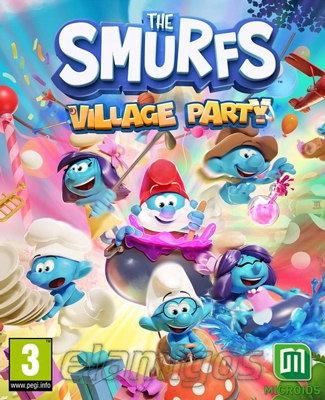
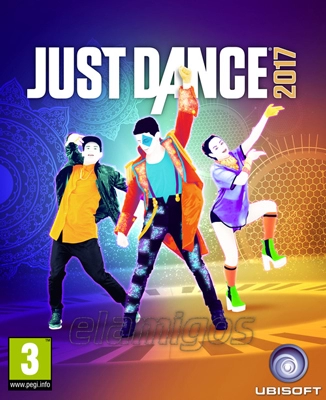
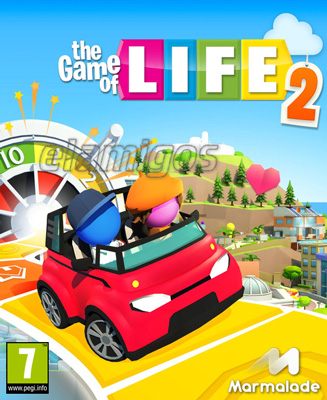
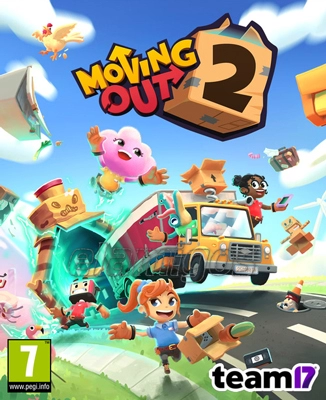
Party Games Download for PC
Party Games Download is the category for players who want quick fun, local multiplayer, co-op chaos, short rounds, simple controls, and games that make the room louder within five minutes. These are the titles you start when friends visit, controllers appear, and nobody wants to read a 40-page tutorial.
On elamigosedition.com, this section is made for PC players looking for downloadable party games in different styles: local multiplayer games, couch co-op games, mini-game collections, trivia games, party platformers, party racers, casual competitive games, funny physics games, social deduction games, rhythm games, and shared-screen chaos.
The best party games are easy to understand, but not always easy to win. That is the trick. Everyone can join quickly, then someone gets too competitive, someone blames the controller, and someone quietly becomes suspiciously good. Classic party game behavior.
What Makes a Good Party Game on PC?
A good party game should be simple to start and fun before everyone fully understands what is happening. The rules need to be clear, the rounds should move quickly, and the game should keep players involved even when they are losing.
Most party games for PC are built around local multiplayer, short matches, funny mistakes, quick restarts, simple objectives, controller support, team play, competitive rounds, mini-games, scoreboards, and replay value. Some are silly. Some are surprisingly tactical. Some become personal after one unfair win.
PC is a strong platform for party games because it supports multiple controllers, keyboard input, shared-screen play, split-screen modes, co-op sessions, custom settings, and many casual games that work well on one screen. A good PC party game should get people playing quickly without turning setup into a separate boss fight.
Core Elements of Party Games
Party games can vary a lot, but most strong titles include several of these features.
- Easy controls that new players can understand quickly.
- Short rounds with fast restarts and little waiting.
- Local multiplayer for two or more players on the same PC or screen.
- Controller support for comfortable couch play.
- Co-op or versus modes for teamwork, competition, or both.
- Mini-games, challenges, maps, rounds, or changing objectives.
- Replay value through random events, different characters, modes, or funny outcomes.
- Low entry barrier so casual players can join without long explanations.
How to Choose the Right Party Game to Download
Party games are not all the same. Some are best for two players. Some need four people to feel alive. Some work for families. Some are better for loud friends who enjoy betrayal as a hobby. Choose the game based on the group, not only on screenshots.
Start with the number of players. If you usually play with one friend, choose two-player co-op or split-screen games. If you have three or four players, look for couch co-op, mini-game collections, party platformers, brawlers, racing-style party games, or funny physics games. If your group is larger, trivia, social deduction, and phone-controller party games can work better.
Also check the mood. Do you want cooperation, competition, jokes, quick challenges, puzzle solving, rhythm, racing, fighting, or pure chaos? A calm co-op puzzle game and a frantic party brawler both belong here, but they do not create the same evening.
Quick Checklist Before Downloading
Use this checklist before starting a party game download. It helps avoid the common problem where the game looks perfect, then supports fewer players or inputs than expected.
- Check the system requirements, especially CPU, RAM, GPU, VRAM, and storage space.
- Look at the download size and required free space after extraction and installation.
- Check the supported number of players, including local multiplayer, split-screen, shared-screen, and co-op modes.
- Read whether the release includes DLC, extra mini-games, maps, characters, updates, or language packs.
- Check controller support and whether multiple controllers can be used on one PC.
- See whether the game includes offline play, quick play, custom rules, tournaments, or party mode.
- Choose the game style based on the group: casual, competitive, co-op, family-friendly, chaotic, trivia, or skill-based.
Popular Types of Party Games for PC
The party category is wide because almost any game can become a party game if it is easy to share, quick to understand, and funny with other people in the room. Still, some styles work better than others.
The best party games usually create moments. A last-second win. A terrible jump. A betrayed teammate. A perfect answer. A ridiculous physics accident. A comeback nobody deserved. That is where the fun lives.
Local Multiplayer Party Games
Local multiplayer party games are designed for players sharing one screen, one PC, or one room. They often support controllers and quick matches, which makes them ideal for game nights.
This type is usually the safest choice if you want simple fun with friends. The rules are clear, rounds are short, and nobody needs to create accounts or learn complex systems before playing.
Before downloading, check how many players are supported locally. Two-player support is common, but the best party games often support three, four, or even more players depending on the format.
Couch Co-op Games
Couch co-op games focus on teamwork. Players work together to finish levels, solve puzzles, defeat enemies, manage tasks, escape danger, cook food, build things, or survive ridiculous situations.
Co-op party games are great for mixed skill groups because stronger players can help newer players. Or at least try to help before everyone starts shouting different instructions at once.
Look for games with clear roles, readable screens, quick restarts, and flexible difficulty. The best co-op games make failure funny instead of frustrating.
Mini-Game Collections
Mini-game collections are perfect for groups because they change the rules often. One round may test timing, another memory, another reaction speed, another luck, and another your ability to not panic under pressure.
This style works well when not everyone plays games regularly. Short challenges are easier to learn than a full campaign, and variety keeps the energy fresh.
Check whether the collection includes enough games, custom settings, team modes, scoreboards, and short round options. More variety usually means better replay value.
Trivia and Quiz Party Games
Trivia party games are built around questions, answers, categories, speed, bluffing, knowledge, and sometimes very questionable confidence. They are great for groups because players can join without needing controller skills.
These games work well for family nights, casual gatherings, and mixed groups. They can be competitive without requiring fast reflexes, which helps when not everyone is a regular gamer.
Language support matters here. If questions, categories, jokes, or answers are text-heavy, make sure the language works for your group before playing.
Party Platformers and Brawlers
Party platformers and brawlers focus on movement, jumping, pushing, fighting, dodging, hazards, traps, and quick eliminations. They are usually simple to start but chaotic once everyone is moving.
This type is excellent when your group likes competitive multiplayer. Matches are quick, mistakes are funny, and nobody stays eliminated for too long if the game is designed well.
Check controller support before downloading. These games usually feel much better when every player has a controller.
Social Deduction and Bluffing Games
Social deduction games are about suspicion, lying, teamwork, voting, hidden roles, and reading people. The mechanics may be simple, but the real game happens between players.
This type works best with groups that enjoy talking, accusing, defending, and laughing at terrible excuses. If your friends are dramatic, congratulations. You already have the right hardware.
Rhythm and Music Party Games
Rhythm party games focus on timing, music, beats, movement, reaction speed, and score. They are great for quick sessions because the rules are usually easy: follow the rhythm, hit the notes, keep up, try not to embarrass yourself too much.
These games can be very beginner-friendly if they include difficulty settings. They also work well when players prefer performance and timing over direct competition.
Party Game Subgenres Compared
Choosing a party game becomes easier when you match the subgenre to the group. Some groups want teamwork. Some want betrayal. Some want simple laughs. Some want a real competition with a scoreboard and emotional consequences.
| Party Game Type |
Best For |
What to Expect |
| Local multiplayer |
Friends playing on one PC or screen |
Quick rounds, shared-screen play, controllers, simple objectives |
| Couch co-op |
Team-focused groups |
Shared tasks, cooperation, puzzle solving, action, funny mistakes |
| Mini-game collection |
Mixed-skill groups |
Short challenges, changing rules, scoreboards, easy entry |
| Trivia party game |
Casual and family groups |
Questions, categories, guessing, bluffing, quick answers |
| Party brawler |
Competitive chaos |
Pushing, fighting, hazards, eliminations, short matches |
| Social deduction |
Talkative groups |
Hidden roles, suspicion, voting, lies, teamwork, accusations |
What to Look for in a Downloadable Party Game
A good party game page should tell you more than the title and a funny screenshot. Party games depend heavily on player count, controller support, local multiplayer, game modes, language options, and how quickly people can start playing.
For this genre, input support is one of the most important details. If a game is made for four players, you need to know whether it supports four controllers, keyboard sharing, split-screen, shared-screen, or phone-based controls.
Also check included content. Some party games become much better with extra mini-games, maps, characters, DLC packs, challenge modes, or custom rules. More content usually means more replay value, especially when the same group plays more than once.
Important Details on a Party Game Page
Before downloading, look for practical information that helps you know whether the game will work for your group.
- Supported player count, including local, online, split-screen, shared-screen, and co-op options.
- Controller support, including multiple controllers on one PC.
- Version or build number, especially for games with fixes, balance updates, or new content.
- Included DLC, extra maps, characters, mini-games, costumes, or special editions.
- Download size and required free disk space after extraction and installation.
- Language support for menus, questions, instructions, subtitles, and interface text.
- Game modes, including quick play, party mode, co-op, versus, tournaments, custom rules, and offline play.
Downloading Party Games from elamigosedition.com
Elamigosedition.com is organized around downloadable PC games, including party titles and many different local multiplayer, co-op, and casual competitive releases. When browsing party games, focus on the individual game page and read the details before starting a download.
A useful general starting point is the ElAmigos games page, especially if you want to understand the site structure and browse PC game downloads in a clear way. For party games, the most important details are usually player count, controller support, game modes, included content, system requirements, language support, and installation notes.
Do not skip the page description. Party game releases may include extra mini-games, updated builds, new maps, complete editions, controller fixes, or additional characters. That can make a big difference when you are choosing something for a group.
How to Prepare Before Installing
Party games are often easier to install than huge simulation or RPG titles, but setup still matters because multiplayer needs working inputs. Keep downloaded archives separate from installed games so you can manage files cleanly.
Make sure you have enough free space for both extraction and installation. Then check controllers before everyone arrives. Nothing kills the mood faster than four people waiting while one controller refuses to be player two.
- Download all archive parts before extraction.
- Check that the archive is complete and not interrupted.
- Install required components such as DirectX, Visual C++, or .NET if included.
- Use a simple installation path without unusual symbols.
- Test controllers, keyboard input, resolution, language, audio, and fullscreen mode before playing.
System Requirements for PC Party Games
Party games are often lightweight, but not always. Simple mini-game collections may run on modest PCs, while modern 3D party games with physics, split-screen, online features, animated characters, and detailed effects can need stronger hardware.
Pay attention to CPU, RAM, GPU, VRAM, and storage space. If a party game uses split-screen or many characters on screen, performance can matter more than expected.
Stable frame rate is important because party games rely on quick reactions, timing, movement, and readable chaos. If the game stutters during a final round, someone will complain. They may even be right.
Minimum vs Recommended Requirements
Minimum requirements usually mean the game can launch and run at low settings. Recommended requirements are safer if you want smooth local multiplayer, stable split-screen, readable effects, and fewer performance drops.
If your PC is close to minimum specs, reduce resolution, shadows, reflections, particle effects, background detail, motion blur, anti-aliasing, and post-processing first. In party games, smooth play matters more than fancy effects.
For low-end PCs, 2D party games, simple trivia games, retro-style mini-game collections, lightweight brawlers, and casual local multiplayer games are usually better choices than modern 3D physics-heavy party games.
Keyboard, Mouse, Controllers, or Phones?
Party games are very dependent on input setup. Some work with keyboard and mouse. Many work best with controllers. Some games allow players to use phones as controllers, which can be helpful when you have more people than gamepads.
For couch play, controllers are usually the safest option. They are comfortable, easy to pass around, and work well for platformers, brawlers, racers, rhythm games, and co-op challenges. Keyboard sharing can work, but it gets awkward fast if too many players need the same keys.
Before downloading, check input support carefully. If a game says four-player local multiplayer but needs four controllers, that is important. If it supports keyboard plus controllers, even better.
Best Input by Party Game Type
| Party Game Type |
Recommended Input |
Why It Helps |
| Mini-game collections |
Controllers |
Easy to share, comfortable for quick challenges, good for groups |
| Trivia games |
Keyboard, mouse, or phones |
Text input, answer selection, simple controls, group accessibility |
| Couch co-op games |
Controllers |
Better movement, shared-screen play, quick reactions, comfort |
| Party brawlers |
Controllers |
Fast movement, attacks, dodges, jumps, and local multiplayer comfort |
| Social deduction games |
Keyboard and mouse or phones |
Menus, voting, chat, role information, simple interaction |
| Rhythm party games |
Controller or keyboard |
Timing, quick inputs, simple button patterns, fast feedback |
Party Game Features Worth Checking
The best party games usually have one thing in common: they reduce waiting. A player should not sit out for too long, menus should be quick, restarts should be fast, and rules should be easy to explain.
Before downloading, decide what matters most to your group. Some groups want local co-op. Others want versus mode, trivia, mini-games, scoreboards, funny physics, family-friendly settings, custom rules, or short rounds with constant rematches.
Player Count and Local Modes
Player count is the first thing to check. A party game for two players may be great, but it will not help much if four people are waiting. A game that supports four or more local players is usually stronger for group sessions.
Look for local multiplayer, shared-screen play, split-screen, hot-seat, couch co-op, and versus modes. These features decide how well the game works in one room.
Quick Rounds and Fast Restarts
Party games should keep energy high. Short rounds, quick loading, instant rematches, and simple scoring help a lot.
If one player gets eliminated early and waits five minutes, the game may lose the room. The best party games either keep eliminated players involved or finish rounds quickly.
Custom Rules and Difficulty
Custom settings can make a party game much better. Round length, team size, difficulty, bots, maps, score limits, handicaps, timers, and random events can help match the game to the group.
Difficulty options also matter when some players are experienced and others are new. A good party game lets everyone have fun, even if skill levels are uneven.
Humor and Replay Value
Party games often survive on replay value. Random events, different maps, character variety, funny physics, unpredictable rounds, mini-games, and custom rules keep the same game fresh.
Humor helps too, but it should come from gameplay, not only jokes. A perfectly timed mistake is funnier than any menu text.
Single-Player, Co-op, and Offline Party Games
Party games are usually best with other people, but offline content still matters. A strong party game should include modes that work without online services, especially for local gatherings.
Offline party games are useful because they can be played in one room with controllers, one screen, and no complicated setup. That is the heart of the genre: quick access, shared reactions, and fun that does not depend on matchmaking.
Some party games also include single-player practice, bots, challenges, or campaigns. These modes are useful if you want to learn the controls before friends arrive, which is a legal advantage. Slightly suspicious, but legal.
Offline Modes Worth Looking For
If you want a party game that works well without online play, check for these modes and features.
- Local multiplayer for two or more players on one PC or screen.
- Couch co-op for shared tasks, missions, puzzles, or action.
- Versus mode for quick competitive rounds.
- Party mode with rotating mini-games or scoreboards.
- Bot support for filling empty player slots.
- Custom rules for changing round length, difficulty, teams, or maps.
- Quick play for fast access without long setup.
Best Party Games for Small and Large Groups
Party games change depending on group size. A two-player game can be focused and tactical. A four-player game becomes louder and more chaotic. A larger group usually needs simpler input, faster turns, or phone-based controls.
If you usually play with one person, choose co-op puzzle games, split-screen games, or two-player challenge games. For three or four players, brawlers, mini-game collections, party racers, and couch co-op titles work well. For larger groups, trivia, social deduction, quiz games, and turn-based party games are usually easier to manage.
Good Party Games for Two Players
Two-player party games work best when both players stay active. Co-op challenges, split-screen races, puzzle co-op, versus brawlers, and rhythm games can all work well.
- Couch co-op games with shared tasks and teamwork.
- Split-screen games with direct competition or co-op progress.
- Puzzle co-op games where communication matters.
- Versus games with quick rounds and rematches.
Good Party Games for Four or More Players
Four-player party games should be simple to join and fast to restart. Mini-games, brawlers, party racers, trivia games, and social deduction titles often work best.
This is where chaos becomes part of the design. Nobody knows exactly what happened, someone wins anyway, and the replay in everyone’s memory is completely different.
Practical Installation Tips for Party Games
Party games can include small installers, large archives, DLC packs, controller settings, language files, online components, and extra modes. Install carefully and read the included notes before launching.
Keep downloaded archives separate from installed games. This makes it easier to reinstall, update, remove files, or manage storage later. Party games are often easy to run, but multiplayer setup deserves a quick test.
After installation, open the settings before your group starts playing. Check language, resolution, fullscreen mode, audio, subtitles, controller layout, player slots, input detection, and difficulty settings. Test everything once. Future you will be grateful.
Setup Habits That Help
These steps can prevent common problems with PC party game downloads.
- Extract all archive parts before running the installer.
- Install required software components if they are included.
- Use a simple folder path without special characters.
- Check disk space before and after installation.
- Confirm language settings before starting trivia or text-heavy games.
- Test all controllers before players arrive.
- Adjust graphics settings to keep stable FPS during local multiplayer.
Frequently Asked Questions About Party Games Download
Players usually ask practical questions before downloading party games because the genre depends heavily on group size, controls, local multiplayer support, quick setup, and replay value. A good match can save the whole evening.
What are the best party games to download for PC?
The best choice depends on your group. Choose local multiplayer games for couch play, couch co-op games for teamwork, mini-game collections for mixed-skill groups, trivia games for casual players, and party brawlers for loud competitive fun.
Can party games run on low-end PCs?
Yes, many party games can run on weaker computers. Simple 2D party games, trivia games, retro mini-game collections, lightweight brawlers, and casual local multiplayer games are usually good choices. Modern 3D physics-heavy party games may need stronger hardware.
Are party games better with controllers?
Most party games are better with controllers, especially couch co-op, brawlers, platformers, racing-style party games, and mini-game collections. Trivia and social deduction games may work well with keyboard, mouse, or phones.
How many players can play party games on PC?
It depends on the game. Some support two players, others support four, and some party games support larger groups through shared-screen play, hot-seat turns, online features, or phone-based controllers. Always check the player count before downloading.
How much disk space do PC party games need?
Small party games may need only a few hundred megabytes or a few gigabytes. Larger modern party games with 3D graphics, voice files, DLC, maps, characters, and mini-game collections can require more. Always check both download size and installed size.
What should I check before installing a party game?
Check system requirements, player count, local multiplayer support, controller support, included DLC, language options, game modes, installation notes, and whether the game includes co-op, versus, quick play, party mode, bots, or custom rules.
Which party game type is best for beginners?
Mini-game collections, trivia games, casual local multiplayer games, and simple couch co-op titles are usually best for beginners. They have clear rules, fast rounds, easy controls, and enough variety to keep new players involved.
Final Thoughts on Party Games Download
Party Games Download is a strong category for PC players who want local multiplayer, couch co-op, quick rounds, funny mistakes, simple rules, group-friendly controls, and replay value. These games are made for shared reactions, not silent concentration.
Use elamigosedition.com as a practical place to browse downloadable party games for PC, but choose with the group in mind. Check requirements, read release notes, confirm player count, test controller support, and match the game type to the people who will actually play.
A good party game should make setup disappear and fun appear quickly. One round, one mistake, one betrayal, one comeback, one rematch. Then someone says “again,” and the evening is handled.