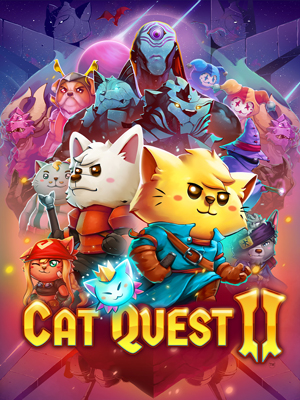
Cat Quest II
- Category:
- Release date:
- Game Genre:RPG, fantasy, Isometric view, for 2 people, indie games, co-op, dogs, cats, action RPG, splitscreen
- Developer:The Gentlebros
- Platform:PC
- Languages (subtitles):English, French, Italian, German, Spanish - Spain, Japanese, Portuguese - Brazil, Russian, Simplified Chinese, Dutch, Korean, Thai, Traditional Chinese, Turkish, Spanish - Latin America
- Game size:0.94GB
Game Description
Cat Quest II is a 2D open-world action RPG for PC set between the cat kingdom of Felingard and the dog-led Lupus Empire. Steam, Epic Games Store, and GOG currently list the game under the straightforward name Cat Quest II; older references may add “The Lupus Empire,” but there is no verified current storefront rebrand or separate definitive edition. Developed by The Gentlebros and published by Kepler Interactive, it combines accessible real-time combat, light RPG progression, dungeon exploration, and two-player local co-op.
Two heroes, one shared fantasy map
The central structure is built around two royal protagonists: a cat king and a dog king forced to work together. In single-player, you can switch between the cat and dog during exploration and combat, giving you access to two active characters without requiring a traditional party-management system.
The world uses a clear overhead 2D perspective that keeps enemies, hazards, objectives, and dungeon entrances easy to read. You move between overworld areas, discover quests, enter compact dungeons, defeat monsters, and collect equipment before returning to the wider map. The pacing is deliberately approachable, with short objectives and frequent rewards rather than a dense simulation of a massive role-playing world.
Combat is real-time and direct. Basic attacks, evasive movement, spell casting, and equipment choices form the main action loop. Players who enjoy accessible isometric loot-driven co-op adventures like Minecraft Dungeons will recognize the emphasis on quick encounters and continuous gear upgrades, although Cat Quest II uses a smaller, more story-focused structure.
Combat, weapons, and spell builds
Cat Quest II expands beyond the original game with a broader selection of weapons, including swords and staves. Weapon choice changes how each hero approaches encounters, letting you favor close-range attacks or a more magical style. The combat is not built around rigid classes, so experimentation comes from combining equipment, spells, and passive effects instead of selecting a permanent archetype.
Spells are a major part of the combat toolkit. They add ranged damage, area attacks, and tactical options when groups of enemies surround the heroes. Managing spell use alongside ordinary attacks gives encounters more texture than simple button-mashing, particularly when dungeon layouts introduce traps or other obstacles.
The game also includes passive abilities whose attributes can be mixed and combined. These bonuses support lightweight build crafting: one setup can emphasize survivability and direct attacks, while another can lean into spell use or specialized equipment effects. The system stays readable for new players but still gives returning players reasons to test different combinations.
Quests, dungeons, and progression
Progression is divided between the main story, optional side quests, overworld exploration, and dungeon runs. Side quests are not only combat errands; each one contributes additional character moments, local stories, or world-building connected to Felingard and the Lupus Empire.
Dungeons provide more concentrated challenges than the open map. Their layouts introduce enemies, traps, obstacles, and rewards in a contained space, making them useful places to test new weapons or spell combinations. The variety is more about encounter design and environmental hazards than procedural generation, so players should approach Cat Quest II as a handcrafted adventure rather than an endless roguelike.
Loot and equipment upgrades keep the campaign moving. Finding stronger gear makes previously dangerous encounters more manageable, while passive effects encourage players to revisit their loadout instead of simply equipping the newest item. The progression loop is light enough for casual sessions and structured enough to give exploration a clear purpose.
Local co-op and solo play
The defining addition over the original Cat Quest is two-player local co-op. One player can control the cat while the other controls the dog, allowing both heroes to fight, explore, complete quests, and improve their equipment together on the same PC.
Co-op is shared-screen rather than a separate online campaign with dedicated matchmaking. Steam lists shared or split-screen co-op and Steam Remote Play Together, which can extend the local multiplayer design to a remote friend through Steam’s streaming feature. That is different from native online multiplayer, so players specifically searching for independent online sessions should understand the distinction before buying.
Single-player remains fully supported. When playing alone, switching between the two heroes lets you use both character slots without needing another person. This makes the game practical for solo players while preserving the same dual-character structure that defines the co-op experience.
What is included on PC?
Current PC storefronts present Cat Quest II as a standalone paid game rather than a free-to-play product. Steam, Epic Games Store, and GOG list the core adventure with its main story, side quests, weapons, spells, passive abilities, dungeons, and local co-op features. No separate season pass or DLC-heavy edition is prominently listed on those current storefront pages.
The storefront ecosystem does differ. The Steam version includes Steam achievements, Steam Cloud, Family Sharing, and Remote Play Together. The Epic Games Store version uses Epic’s account ecosystem and cloud-save support. GOG lists DRM-free play, controller support, achievements, co-op, and the option to use an offline installer without requiring GOG Galaxy.
That makes the GOG edition particularly notable for players who want a launcher-independent installation. Steam is the more natural choice for players who intend to use Remote Play Together, while Epic is another current Windows storefront option.
Who should play Cat Quest II?
Cat Quest II is a strong fit for players who want an approachable fantasy action RPG with simple controls, short quest objectives, colorful presentation, and equipment-driven progression. It works especially well for two people sharing a screen, including players who may not want the complexity or difficulty curve associated with larger action RPGs.
The game also suits solo players who enjoy switching between two heroes and building flexible loadouts. Its direct combat and readable progression make it easy to return to after a break, while the side quests and dungeon rewards give exploration a consistent reason to continue.
Players looking for deep party tactics, a large class system, competitive online multiplayer, or a procedurally generated endgame may find the design too compact. Cat Quest II is focused on a guided action-adventure loop rather than long-term character optimization or an endless loot chase.
PC features, languages, and storefront details
On PC, Cat Quest II supports controller play and keyboard-oriented controls, with the gamepad experience fitting its movement and combat design particularly well. Steam also supports Remote Play on compatible devices, while GOG confirms that Galaxy is optional for playing the DRM-free version.
The game includes text localization in English, French, Italian, German, Spanish variants, Japanese, Brazilian Portuguese, Russian, Simplified Chinese, Traditional Chinese, Dutch, Korean, Thai, and Turkish across the current storefront listings. Full voice audio is not presented as a core feature; the PC versions primarily provide localized interface and text support.
No competitive multiplayer or anti-cheat system is advertised for the PC editions. The important multiplayer distinction is that the native design is local co-op, with Steam Remote Play Together serving as the practical remote-play option for Steam users.
Cat Quest II FAQ
Is Cat Quest II currently rebranded?
No. Steam, Epic Games Store, and GOG currently use Cat Quest II as the official storefront name. “Cat Quest II: The Lupus Empire” appears in some older or third-party references, but it is not presented as a separate current PC edition by the major storefronts checked.
Can you play Cat Quest II solo?
Yes. The entire adventure can be played alone, with the player switching between the cat and dog heroes during exploration and combat.
Does Cat Quest II support online co-op?
It does not present a native online campaign with matchmaking. The core multiplayer mode is local two-player co-op. Steam users can use Remote Play Together to play with someone remotely through Steam’s streaming system.
Does Cat Quest II have split-screen co-op on PC?
Steam lists shared or split-screen co-op. Two players can share the same game session, with one controlling the cat and the other controlling the dog.
Does Cat Quest II have DLC or a season pass?
The current Steam, Epic Games Store, and GOG listings present the game as a standalone package. No prominent DLC catalog or season pass is listed for the PC versions checked.
Which PC version is DRM-free?
The GOG edition is listed as DRM-free and can be installed without requiring GOG Galaxy. Steam and Epic Games Store versions use their respective platform ecosystems.
What is the main gameplay loop?
You explore the overworld, accept main and side quests, clear dungeons, defeat monsters, collect equipment, upgrade both heroes, and combine spells with passive abilities. The progression is designed around bite-sized fantasy adventuring rather than procedural runs or an endless endgame.
System Requirements
Minimum: | Recommended: |
| Processor: Intel(R) Core(TM) i3-2100 CPU @ 3.10GHz (4 CPUs), ~3.1GHz Graphics: Intel(R) HD Graphics 520 Memory: 4 GB RAM Disk space: 600 MB available space Operating system: Windows 7 | Processor: Intel(R) Core(TM) i7-7500U CPU @ 2.70GHz Graphics: Intel(R) HD Graphics 620 Memory: 8 GB RAM Disk space: 600 MB available space Operating system: Windows 10 |
Screenshots

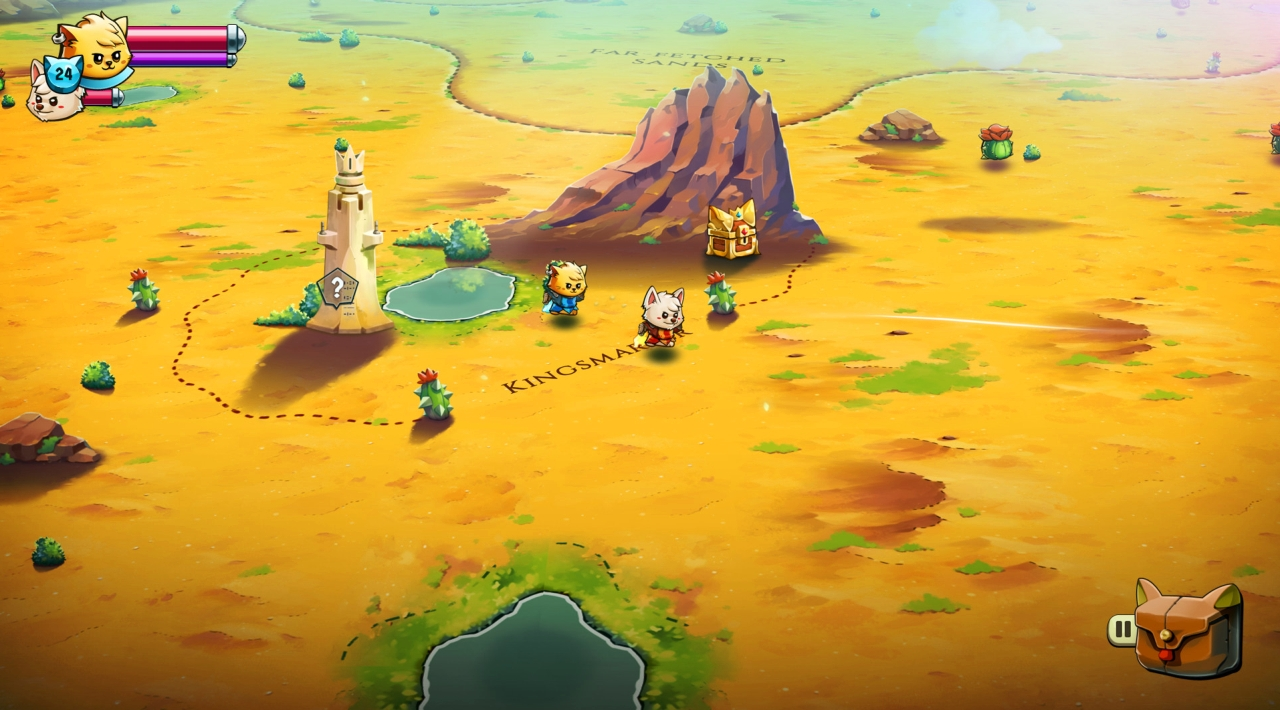


Trailer/Gameplay
Download
Cat Quest II (2019), 0.94GB

Version: v1.7.8

Original Size: 1.25GB
Repack Size: 0.94GB

1. Extract files.
2. Play the game. If you like this game, BUY IT!
Cat Quest II Download
🔒 Premium access required
To see and use the download links, you must be logged in and have an active PREMIUM account.
* Unlock downloads via Torrent and TeraBox.
Torrent Download
The best torrent download speeds are with qBittorrent!