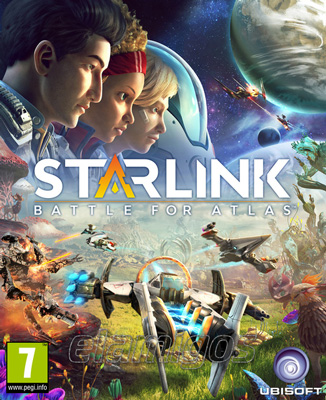
Starlink Battle for Atlas
- Category:
- Release date:
- Game Genre:Action, TPP, Science Fiction, Space, For 2 Players, Co-op, Space Ships, Figure, Splitscreen, Xbox Game Pass Ultimate, Multiplayer, Singleplayer
- Developer:Ubisoft Toronto
- Release:ElAmigos
- Platform:PC
- Languages (subtitles):English, French, Italian, German, Spanish, Polish, Portuguese-Brazil, Danish, Dutch, Finnish, Norwegian, Swedish, Japanese, Korean, Simplified Chinese, Traditional Chinese
- Dubbing/Audio:English, French, Italian, German, Spanish, Polish, Dutch, Japanese
- Crack:voices38
- Game size:20.41GB
Game Description
Starlink: Battle for Atlas on PC is an open-world science-fiction action adventure from Ubisoft Toronto that combines third-person starship combat, planetary exploration, light RPG progression, and modular ship building. Steam and Ubisoft currently list the PC game under the same name, with no verified rebrand or replacement edition. The PC version is the digital-focused way to play, so the physical toys are optional rather than required.
The central premise is straightforward: lead the Starlink Initiative through the Atlas star system, build alliances, and stop Grax and the Forgotten Legion from exploiting ancient Warden technology. Its unusual appeal comes from how quickly you can change your ship, weapons, and pilot abilities to answer different combat and exploration problems.
How the Atlas adventure plays
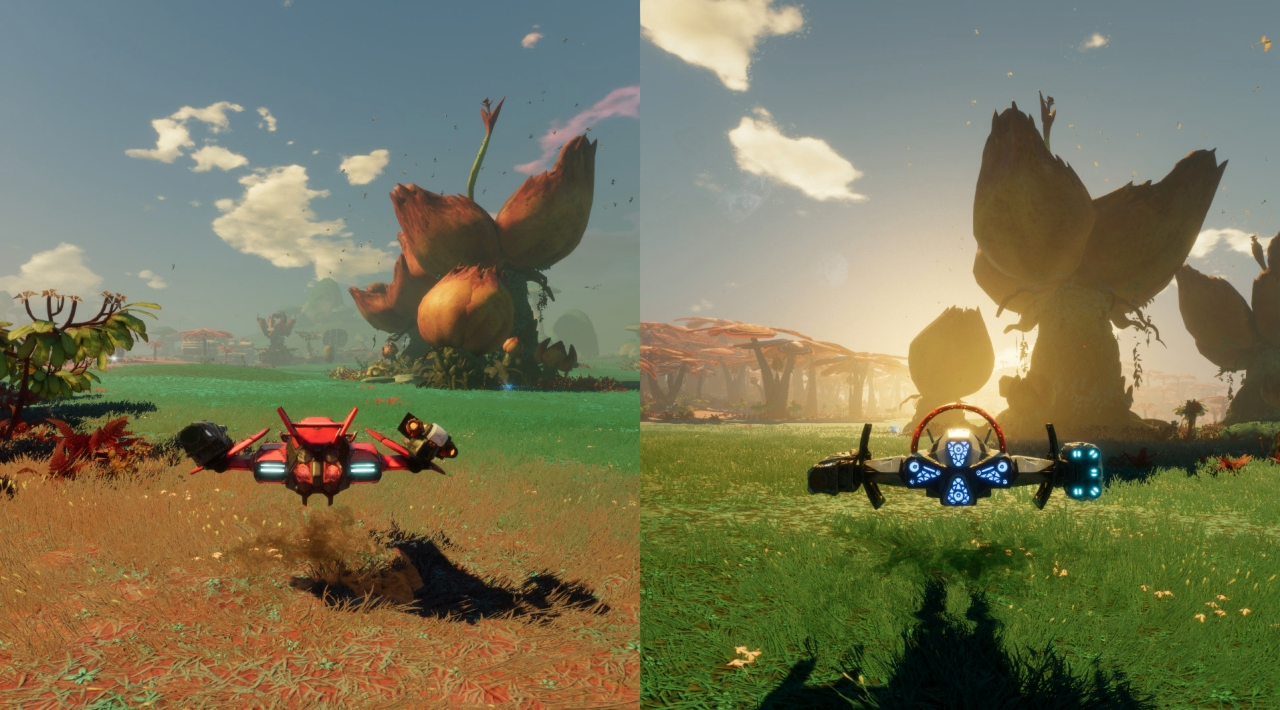
Starlink is played from a third-person space-combat perspective. You can fly above a planet, skim across its surface, or leave the atmosphere and travel through open space toward another world. The transitions between these layers are part of the game's identity, giving routine objectives a sense of physical continuity instead of separating every activity into disconnected missions.
On each planet, the usual loop involves locating objectives, fighting Forgotten Legion units, investigating alien ecosystems, helping local inhabitants, and establishing useful outposts. Observatories reveal points of interest, while Refineries and other facilities help you build relationships with the inhabitants and improve your wider operation.
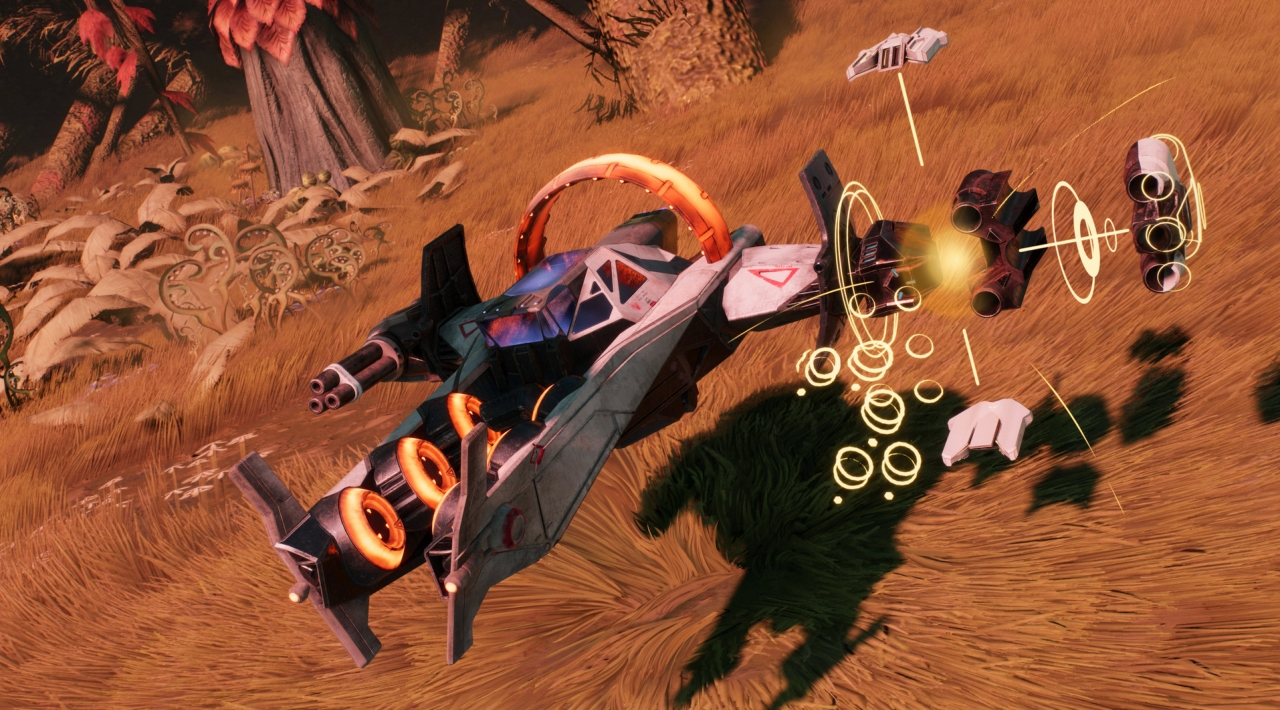
Combat emphasizes mobility. You can boost, jump, dodge, strafe, barrel roll, and shield your way around enemy attacks while switching weapons to exploit openings. The action is accessible, but encounters become more manageable when you pay attention to enemy behavior, elemental interactions, and the specific strengths of your current loadout.
Starlink is not a traditional space simulation. It does not ask you to manage realistic fuel, trade routes, or cockpit procedures. Instead, it delivers arcade-style flying inside a persistent open-world adventure where movement, target selection, and rapid equipment changes matter more than simulation detail.
Modular ships, pilots, and elemental combat
The signature system is real-time ship customization. Every starship is assembled from a hull, wings, weapons, and pilot, and those components can be mixed to create different handling and combat profiles. On PC, the same idea is handled digitally through menus, which is more convenient than swapping physical parts between encounters.
Weapons are especially important because enemies and environmental objects can react differently to elemental attacks and status effects. Fire, ice, gravity, and other weapon properties can combine in ways that create stronger effects, including area control and temporary vulnerabilities. Experimentation is encouraged, but the game is more about practical counterplay than building a mathematically perfect endgame setup.
Each pilot brings a distinct special ability and progression path. As pilots gain experience, you unlock ability upgrades and broader perks that can improve their effectiveness or provide benefits across the team. Pilot choice therefore affects more than the character model: it can change how aggressively you approach fights and how quickly you recover from pressure.
Ship and weapon mods add another layer of customization. These upgrades can improve damage, cooldowns, energy use, defenses, or elemental performance. The system is approachable for younger players but gives experienced players a reason to revisit their equipment when facing tougher enemies, environmental hazards, or large mechanical targets.
Exploration, alliances, and progression
Atlas is structured around seven distinct planets, each with its own wildlife, resources, hazards, and local groups. The planets are not merely backdrops for combat. Their facilities and inhabitants form part of a strategic network that can support your campaign when you invest time in helping them.
Alliance building is one of the less obvious parts of Starlink. Completing tasks for settlements and outposts can improve their capabilities, reveal more of the surrounding area, and strengthen the wider resistance against the Forgotten Legion. This makes exploration more purposeful than simply collecting map markers.
The Equinox, your mobile base, provides the main progression framework. Upgrades improve areas such as cargo capacity, mod handling, and other practical capabilities. Resources gathered during planetary activity can be traded or delivered to the right facilities, creating a loop between exploration, local development, and ship improvement.
For players who enjoy broader exploration sandboxes, open-world space exploration games such as No Man's Sky offer a much more systemic galaxy. Starlink is more directed: its planets support a story-led campaign and repeatable activities rather than an essentially endless survival-and-discovery sandbox.
Digital editions and paid content
The PC release is built around digital ownership. The Standard Edition includes the game with a core group of ships, pilots, and weapons, while the Deluxe Edition expands that starting selection to five starships, nine pilots, and 15 weapons. This distinction matters because the Deluxe package is the more complete entry point for players who want immediate access to a wider range of builds.
Steam also lists two additional paid content packs: Collection Pack 1 and Collection Pack 2. The store catalog separates these from the base game and Deluxe Edition, so players should treat them as optional expansions to the digital roster rather than as a free progression system.
The PC version does not require the physical Starlink toys to access the game's core systems. The toys were designed as a toys-to-life accessory system for console editions, while PC players select their digital pilots, ships, and weapons in-game. That makes the PC edition the least cumbersome option for anyone interested in the customization mechanics but not in collecting hardware.
Who should play Starlink on PC?
Starlink is a good fit for players who want approachable space combat, a colorful science-fiction setting, and a campaign that mixes flying with surface exploration. It also works well for families or pairs who prefer cooperative action without competitive matchmaking or complex party roles.
The game suits players who enjoy changing equipment often. The strongest moments come from recognizing that a weapon combination, pilot ability, or ship configuration is poorly matched to a problem and adapting before the next encounter.
It is less suitable for players looking for a serious space simulator, a fully open-ended economy, or a highly demanding loot-driven endgame. The campaign has a clear authored structure, and some activities can feel familiar once you have spent a long time clearing similar facilities and objectives.
Players seeking a more combat-focused third-person space shooter can compare it with story-driven space action games like Chorus. Chorus is more concentrated on dramatic combat and ship abilities, while Starlink gives more attention to planetary errands, alliances, and modular loadouts.
PC platform features and technical realities
Steam lists single-player, shared or split-screen co-op, Steam Achievements, Steam Trading Cards, in-app purchases, and Remote Play Together. The co-op format is local rather than an online persistent multiplayer mode, so a second player joins the same campaign session instead of bringing a separate character through a networked galaxy.
PC players should also account for the storefront requirements. Steam lists Denuvo third-party DRM and requires a Ubisoft Account that can be linked to the Steam account. The game also requires acceptance of a third-party EULA. These are important ownership details that short descriptions often leave out.
Localization is broad. Steam lists interface and subtitle support for English, French, Italian, German, Spanish, Danish, Dutch, Finnish, Japanese, Korean, Norwegian, Polish, Brazilian Portuguese, Simplified Chinese, Swedish, and Traditional Chinese. Full audio is available for English, French, Italian, German, Spanish, Dutch, Japanese, and Polish.
Controller play is a natural fit for the game's flight-oriented design, while Remote Play Together gives PC owners a practical way to use the local co-op feature remotely. The PC edition does not include the Switch-exclusive Star Fox content, including Fox McCloud and the Arwing.
Similar PC games and the main difference
Starlink occupies an unusual space between an open-world action adventure and an arcade space shooter. It is more structured than a sandbox, less simulation-heavy than a space combat game, and more focused on experimentation than a conventional third-person shooter.
For a more demanding build-and-loot space RPG, arcade space shooters with roguelike progression such as Everspace provide tougher combat and a different long-term structure. Starlink instead rewards campaign progress, alliance management, and the ability to switch equipment quickly across a connected planetary system.
That combination is the game's real niche. Its PC version is particularly attractive to players who want the toys-to-life concept without needing to buy or store physical components, while still retaining the modular ship identities that define the series.
Starlink: Battle for Atlas FAQ
Is Starlink: Battle for Atlas still the current PC name?
Yes. Steam and Ubisoft currently list the PC game as Starlink: Battle for Atlas. No verified storefront rebrand or replacement PC edition was found.
Does the PC version require Starlink toys?
No. The PC release uses digital pilots, starships, and weapons through in-game menus. Physical toys are optional console accessories and are not required to play the PC campaign.
Does Starlink have multiplayer on PC?
It supports two-player local co-op through shared or split-screen play. Steam also lists Remote Play Together, but Starlink is not a persistent online multiplayer game.
What is included in the PC Deluxe Edition?
The Deluxe Edition includes the game, five starships, nine pilots, and 15 weapons. Steam separately lists Collection Pack 1 and Collection Pack 2 as additional paid content.
Is Fox McCloud available on PC?
No. Fox McCloud, the Arwing, and the related Star Fox content are exclusive to the Nintendo Switch version. They are not part of the PC edition.
What kind of game is Starlink on PC?
It is a third-person open-world science-fiction action adventure with space and planetary exploration, arcade-style starship combat, elemental weapons, pilot abilities, mods, alliances, and local co-op.
System Requirements
Minimum: | Recommended: |
| Processor: Intel Core i5-2500K 3.3 GHz / AMD FX-6350 3.9 GHz Graphics: NVIDIA GeForce GTX 660 / AMD Radeon HD 7850 Memory: 8 GB RAM Disk space: 23 GB available space Operating system: Windows 7 or newer (e.g. Windows 10/11) | Processor: Intel Core i5-4590 3.3 GHz / AMD FX-8350 4.0 GHz Graphics: NVIDIA GeForce GTX 970 / AMD Radeon R9 290X Memory: 8 GB RAM Disk space: 23 GB available space Operating system: Windows 7 or newer (e.g. Windows 10/11) |
Screenshots
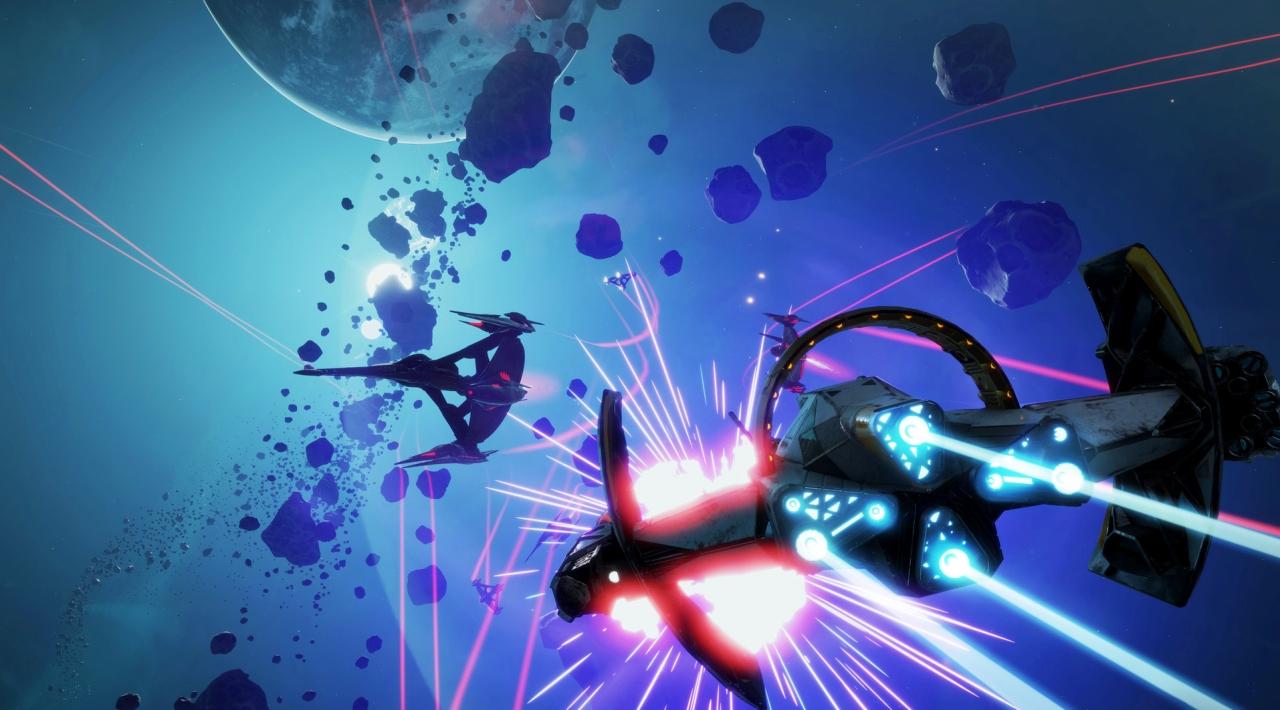
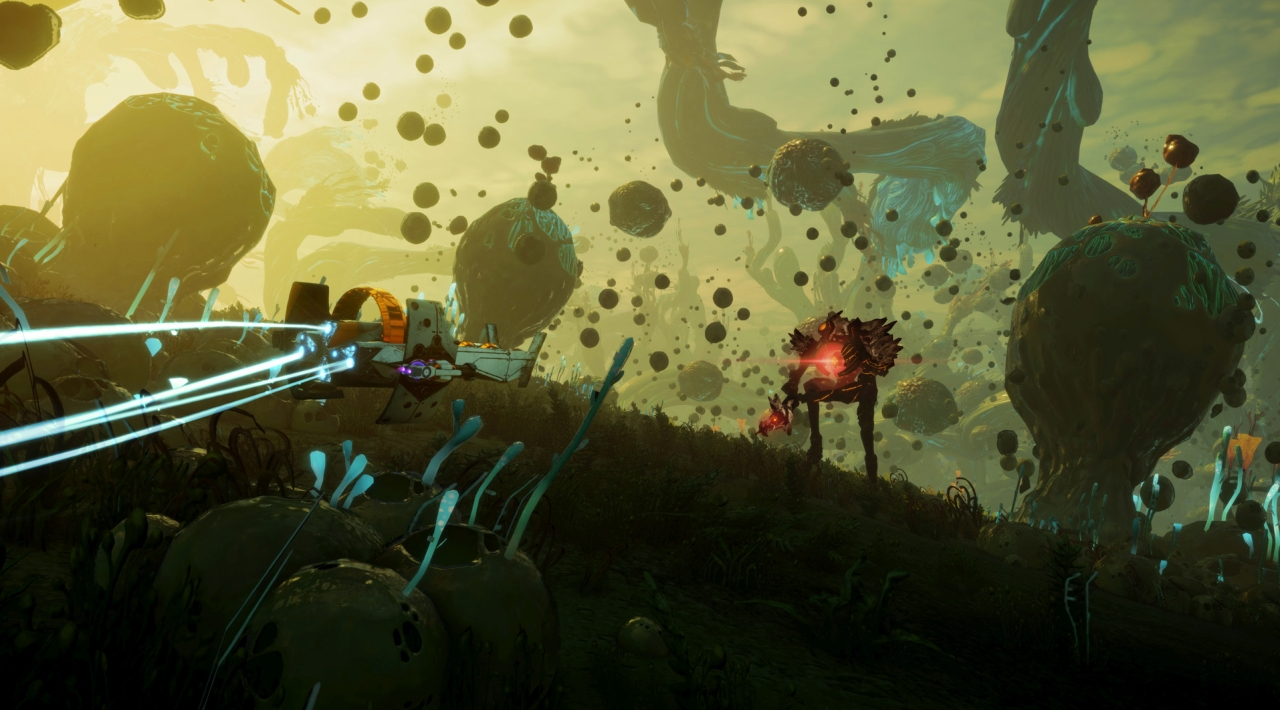
Trailer/Gameplay
Download
Starlink Battle for Atlas (2019), 20.41GB
ElAmigos release, game is already cracked after installation (crack by voices38).

1. Extract files.
2. Burn or mount the image.
3. Install the game.
4. ElAmigos release, game is already cracked after installation.
5. Play the game. If you like this game, BUY IT!
Starlink Battle for Atlas Download
🔒 Premium access required
To see and use the download links, you must be logged in and have an active PREMIUM account.
* Unlock downloads via Torrent and TeraBox.
Torrent Download
The best torrent download speeds are with qBittorrent!