Sid Meier's Civilization VII
Edit date: 31-08-2026, 21:14
Reason: + update 1.4.1 - 1.4.2.H1 (13.08.2026) + DLC
- Category:
- Release date:
- Game Genre:4X Strategy, Turn-Based Strategy, Grand Strategy, Sandbox, Economic Strategy, Multiplayer, Singleplayer
- Developer:Firaxis Games
- Release:ElAmigos
- Platform:PC
- Languages (subtitles):English, French, Italian, German, Spanish, Polish, Russian, Portuguese-Brazil, Japanese, Korean, Chinese Simplified, Chinese Traditional
- Dubbing/Audio:English, French, Italian, German, Spanish, Polish, Russian, Japanese, Korean, Chinese Simplified, Chinese Traditional
- Crack:Hypervisor
- Game size:17.37GB
Game Description
Sid Meier's Civilization VII is a PC turn-based 4X strategy game from Firaxis Games and 2K. The official storefront name remains Sid Meier's Civilization VII, with no verified rebrand or replacement edition. Its defining change is the three-Age structure, where your leader can persist while your civilization evolves, endures, or blends with another identity.
This is still a sandbox about expansion, technology, diplomacy, warfare, culture, economics, and long-term planning. The major difference is that each campaign now asks you to manage an empire's identity as carefully as its borders.
How the Civilization VII PC gameplay loop works
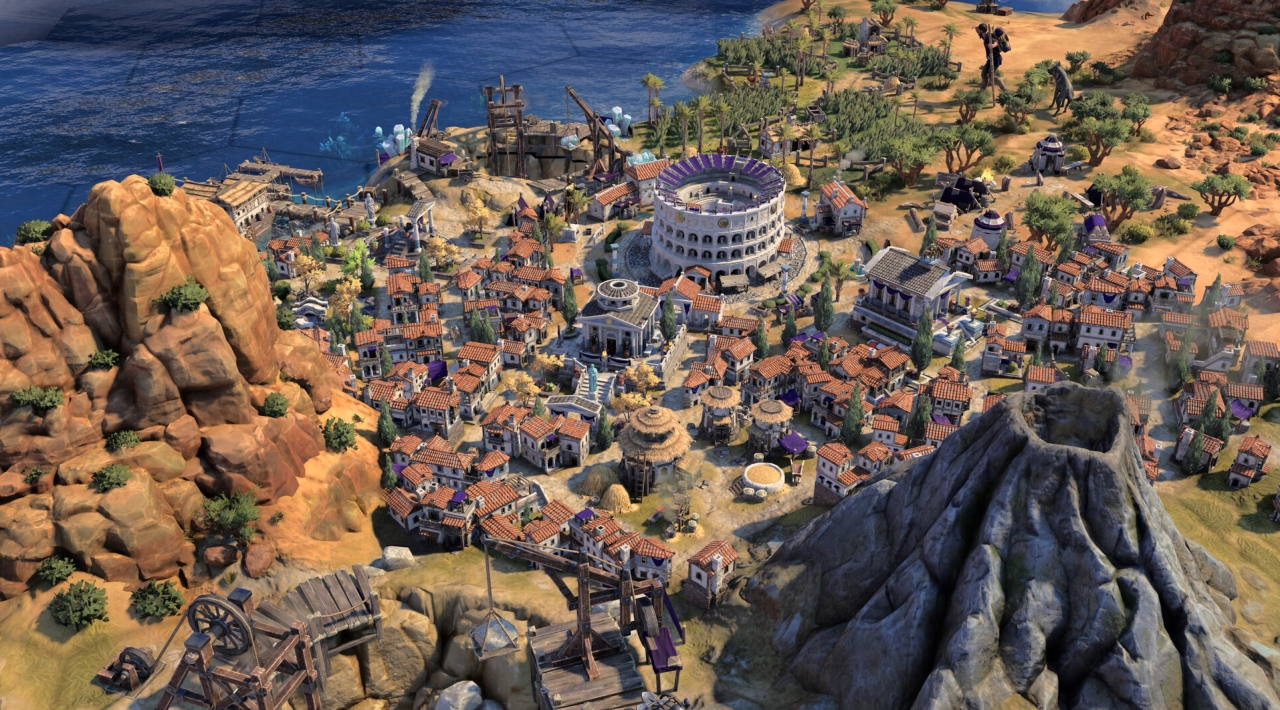
Each turn combines exploration, settlement growth, research, production, diplomacy, trade, and military positioning. You establish Cities and Towns, improve tiles, secure resources, construct Wonders, and decide whether your next priority is economic momentum, cultural influence, scientific progress, or military pressure.
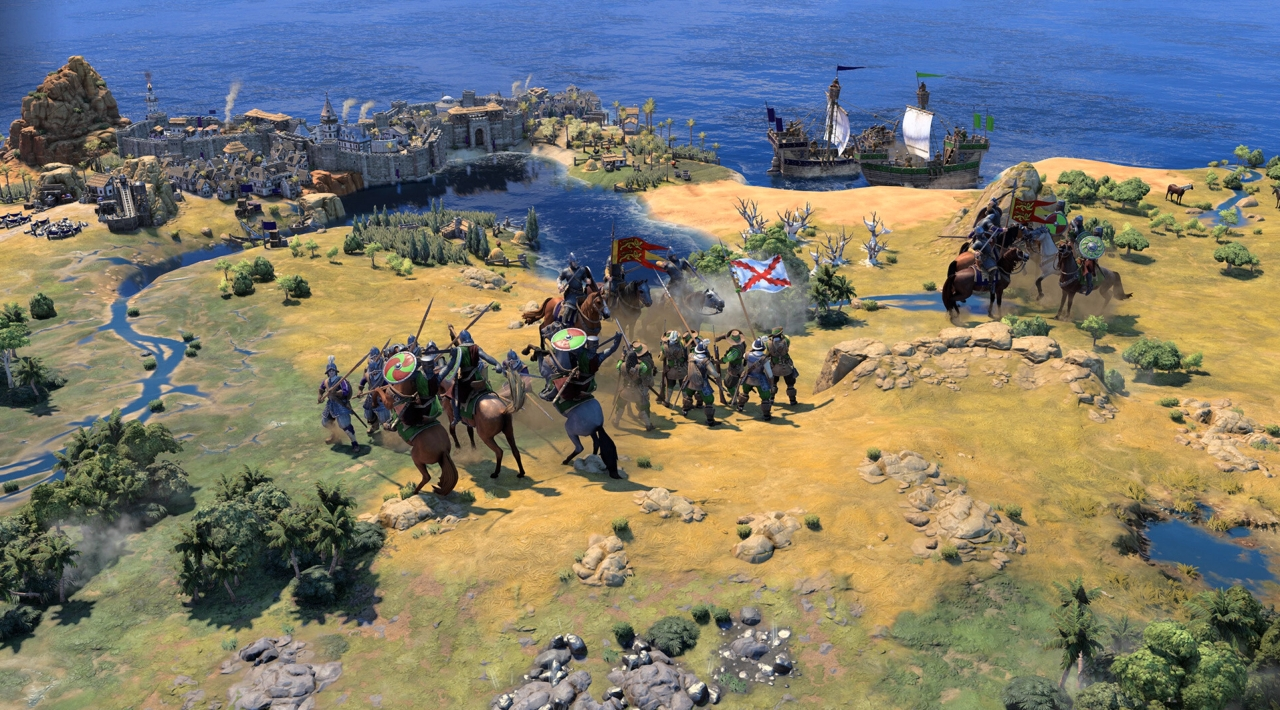
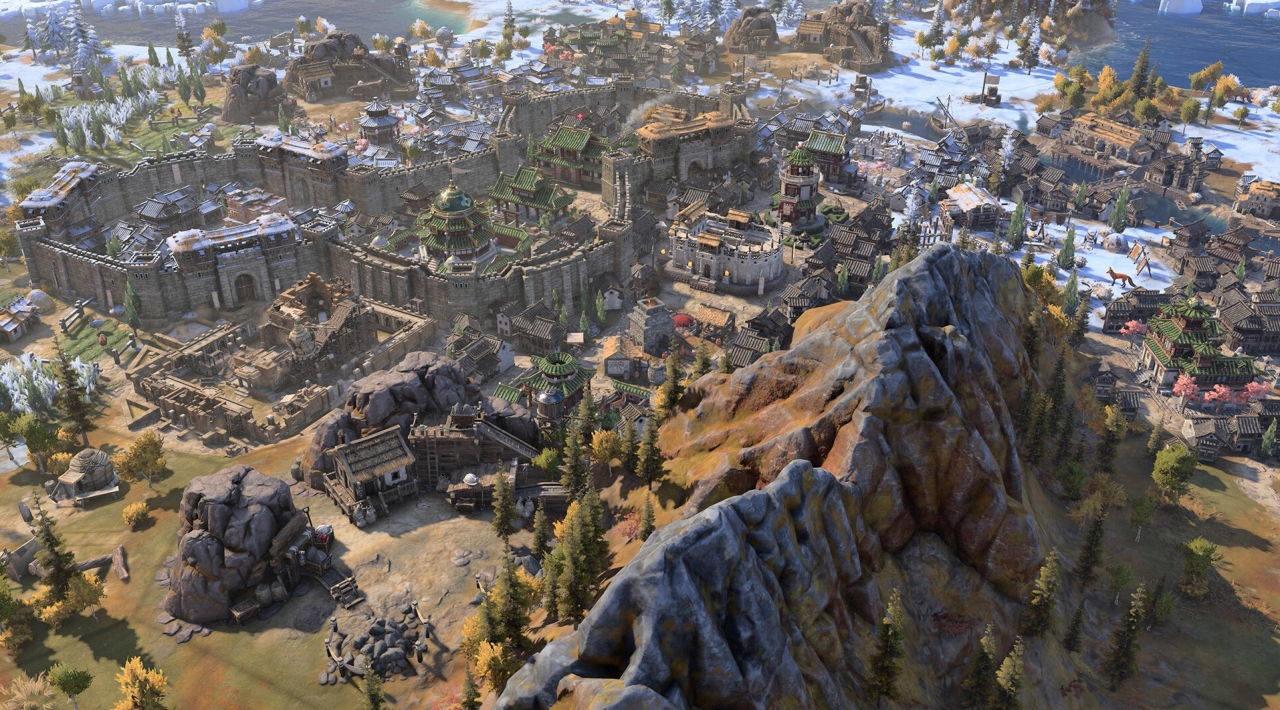
The camera uses a readable overhead perspective across a hex-based world map. Navigable rivers, changing terrain, natural resources, independent powers, rival settlements, and undiscovered regions all affect where you expand and how safely you can develop.
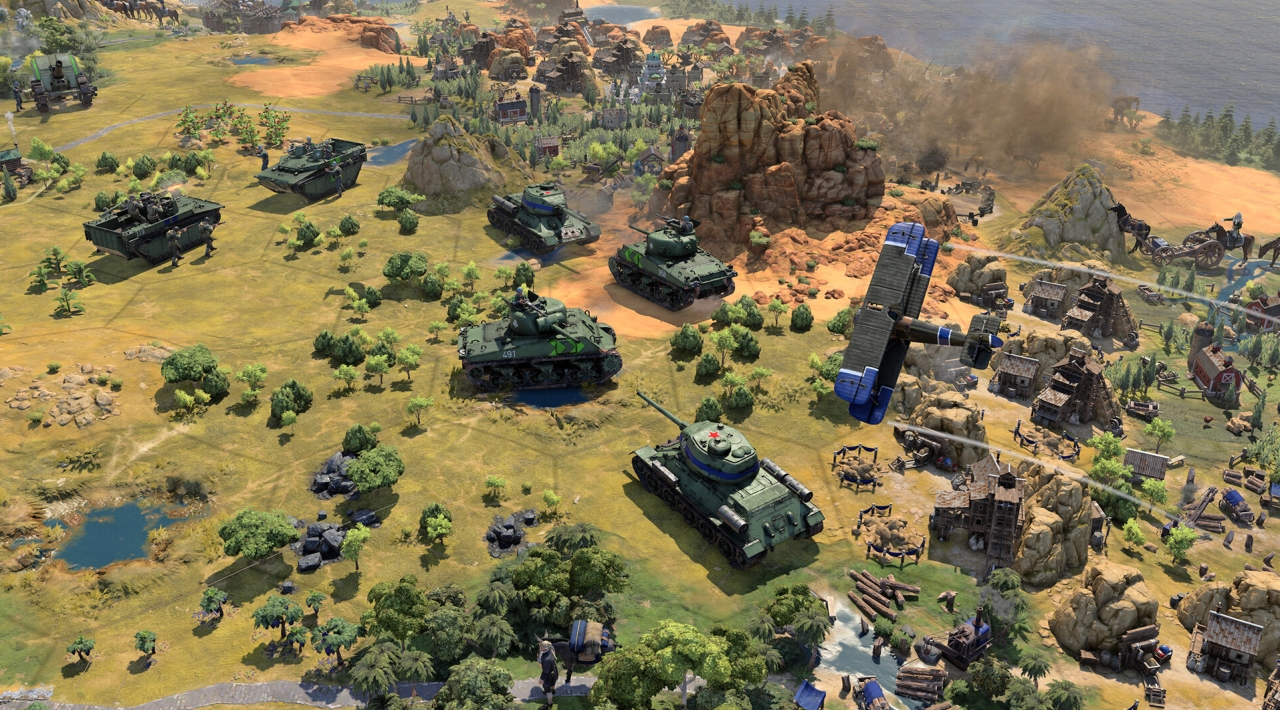
Combat remains a supporting pillar rather than the entire game. Armies operate on the same strategic map as your settlements, while revamped combat rules and Commanders make army coordination more important. You can pursue conquest, defend a narrow frontier, force diplomatic concessions, or use military pressure to protect a wider economic plan.
Players who want the classic Civilization rhythm of city planning, technology races, diplomacy, and multiple victory routes can compare it with the earlier turn-based 4X empire builder Civilization VI, although VII places much more emphasis on transitions between historical Ages.
Ages, civilization changes, and Triumphs
A campaign is divided into the Antiquity Age, Exploration Age, and Modern Age. All players progress through an Age together, creating a shared strategic rhythm rather than allowing one empire to race far ahead on the timeline while others remain in an earlier period.
Your chosen leader remains with you across the campaign, but the civilization representing your empire can change between Ages. Current game rules also allow a civilization to endure or use hybridization, so the system is more flexible than a simple forced reset. Previous achievements, bonuses, infrastructure, and strategic decisions influence what becomes available next.
Each Age presents a different map of priorities. Antiquity emphasizes foundations, expansion, early production, and regional competition. Exploration broadens trade, colonization, religion, resources, and overseas strategy. Modern gameplay focuses on industrial strength, scientific development, global diplomacy, advanced warfare, and final victory planning.
The current victory structure uses Triumphs, which provide attribute-based objectives and help shape how a campaign develops. They are not merely decorative milestones. Completing them can steer your research, construction, diplomacy, military actions, or cultural projects while opening new bonuses and routes toward victory.
Leaders, attributes, and persistent progression
Separating the leader from the civilization is one of Civilization VII's most important systems. A leader's unique ability, agenda, and preferred attributes can remain valuable even when your empire adopts a new civilization in the next Age.
Leader development uses attribute bonuses and a leader progression system that can support different strategic identities. A leader built around economic growth can later pivot toward diplomacy or military strength instead of being locked into one historical faction throughout the entire game.
Mementos add another layer of customization. These bonuses are equipped during setup and remain active for the campaign, while broader progression tracks reward continued play across different leaders and matches. Multiplayer sessions can disable Mementos when players want a more standardized competitive environment.
The result is a game that rewards planning beyond a single turn or city. You are often deciding whether an immediate advantage will also create a better position for the next Age.
Content model and current PC editions
The standard purchase contains the base Civilization VII experience. The current PC storefront also lists Deluxe and Settler's Edition packages, with the larger bundle adding leaders, civilizations, Wonders, leader Personas, and cosmetic content rather than turning the base game into a free-to-play product.
Paid add-on content is organized through collections and individual packs. The current catalog includes the Crossroads of the World Collection, Right to Rule Collection, Tides of Power Collection, and Brush and Blade Collection, alongside separate leader, civilization, Wonder, Persona, and cosmetic items. Some editions bundle selected collections, so buyers should compare the included content instead of assuming every package contains the same add-ons.
The base game is not an all-inclusive edition. If you want the broadest leader and civilization roster, check whether the chosen edition includes the relevant collections before purchasing additional content separately.
Who should play Civilization VII?
Civilization VII suits PC players who enjoy long-form strategic campaigns, emergent alternate history, careful city placement, and decisions that compound over many turns. It is particularly appealing if you like adapting a plan when geography, diplomacy, or an Age transition undermines your original approach.
It is less suitable for players who want one civilization to remain mechanically unchanged from the opening settlement to the final victory. The Age system deliberately asks you to reinterpret your empire, and that can feel disruptive if historical continuity is more important to you than strategic flexibility.
It is also not a real-time strategy game. Turns give you time to inspect the map, compare yields, manage production, and negotiate before committing to a decision. The tension comes from opportunity cost and timing, not rapid unit control.
For another historical 4X option with a stronger dynasty and character-management focus, turn-based empire games such as Old World offer a useful comparison, though Civilization VII covers a much broader historical arc and emphasizes civilization-scale identity.
PC features, multiplayer, and language support
On PC, Civilization VII is available through Steam and the Epic Games Store. The Steam version lists full controller support, Steam Workshop support, Steam achievements, HDR, LAN PvP, online PvP, and cross-platform multiplayer. Mouse and keyboard remain the natural choice for managing detailed information, but controller play is a supported option.
Online interactions require a linked 2K Account and an internet connection. Steam also lists Denuvo Anti-tamper and a machine activation limit. Single-player against computer-controlled opponents can be played offline on PC, while online multiplayer and related services require connectivity.
Multiplayer supports full multi-Age campaigns as well as matches contained within a single Age. Cross-play allows PC players to compete with console players, subject to the applicable map and player-count rules. The PC storefront lists both online and LAN multiplayer, but Civilization VII is not a traditional same-PC hotseat experience.
Steam lists interface and subtitle support for English, French, Italian, German, Spanish, Japanese, Korean, Polish, Brazilian Portuguese, Russian, Simplified Chinese, and Traditional Chinese. Full audio is available in the listed languages except Brazilian Portuguese, which is listed with interface and subtitle support.
Civilization VII FAQ
Is Civilization VII still called Sid Meier's Civilization VII on PC?
Yes. Steam and Epic list the game as Sid Meier's Civilization VII. There is no verified rebrand comparable to a renamed legacy edition, and Civilization VI remains a separate PC product.
What are the three Ages in Civilization VII?
The campaign moves through Antiquity, Exploration, and Modern. Players enter each Age together, then adapt their civilization, technologies, bonuses, settlements, and strategic priorities to the new chapter.
Do you have to change civilizations between Ages?
No. Current rules allow an empire to evolve into a new Age-appropriate civilization, continue with a time-tested civilization, or use hybridization. The choice depends on the strategic bonuses and identity you want to carry forward.
Does Civilization VII have online multiplayer and cross-play?
Yes. PC players can use online or LAN multiplayer, and cross-play is supported between PC and consoles. Matches can cover multiple Ages or remain within a single Age.
Can Civilization VII be played offline on PC?
Yes. Single-player matches against computer-controlled opponents can be played offline. Online multiplayer and other online interactions require an internet connection and linked 2K Account.
Does Civilization VII support controllers on PC?
Yes. The PC storefront listings identify controller support, and Steam lists full controller support. Keyboard and mouse remain useful for detailed empire management, while a controller provides a console-style interface.
Is all Civilization VII DLC included with the base game?
No. The base game and expanded editions contain different amounts of additional content. Current collections add leaders, civilizations, Wonders, Personas, and cosmetics, so edition contents should be checked before buying.
System Requirements
Minimum: | Recomended: |
| Processor: Intel i5-4690 / Intel i3-10100 / AMD Ryzen 3 1200 Graphics: NVIDIA GTX 1050 / AMD RX 460 / Intel Arc A380 Memory: 8 GB RAM Disk space: 20 GB available space Operating system: Win 10 64 Bit | Processor: Intel Core i5-10400 / AMD Ryzen 5 3600X Graphics: NVIDIA RTX 2060 / AMD RX 6600 / Intel Arc A750 Memory: 16 GB RAM Disk space: 20 GB available space Operating system: Win 10 64 Bit |
Screenshots
Trailer/Gameplay
Download
Sid Meiers Civilization VII Deluxe Edition *Hypervisor* (2025), 17.37GB
ElAmigos release.

Updated to version 1.4.0 (19.05.2026)

1. Extract files.
2. Burn or mount the image.
3. Install the game.
4. ElAmigos release, game is already cracked after installation.
5. Play the game. If you like this game, BUY IT!- install game
- educate yourself first by reading _Info.txt and DenuvOwO.nfo; CPU virtualization must be enabled in BIOS (some motherboards have it enabled as default setting)
- start as Administrator "VBS.cmd" from game folder, press 1, restart computer, then on the next boot press F7 when new window will show up (driver signature OFF)
- start from desktop icon
Once you make it work, any other game with Hypervisor can be installed and played from desktop icon (as long as you don't restart/shutdown PC - then again VBS.cmd > 1 > reboot > F7 > desktop icon)
Sid Meiers Civilization VII Deluxe Edition *Hypervisor* Download
🔒 Premium access required
To see and use the download links, you must be logged in and have an active PREMIUM account.
* Unlock downloads via Torrent and TeraBox.
+ update 1.4.0 - 1.4.1 (23.06.2026) + DLC & HV bypass (by DenuvOwO), 1.55GB
🔒 Premium access required
To see and use the download links, you must be logged in and have an active PREMIUM account.
* Unlock downloads via Torrent and TeraBox.
+ update 1.4.1 - 1.4.2.H1 (13.08.2026) + DLC & HV bypass (by DenuvOwO), 1.16GB
🔒 Premium access required
To see and use the download links, you must be logged in and have an active PREMIUM account.
* Unlock downloads via Torrent and TeraBox.
DLC: 34 DLC are included.
Torrent Download
The best torrent download speeds are with qBittorrent!