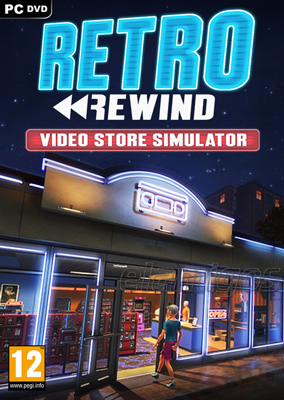
Retro Rewind Video Store Simulator
Edit date: 6-07-2026, 23:40
Reason: Updated to version 2308 (24.06.2026).
- Category:
- Release date:
- Game Genre:Simulation, Management, Business Sim, Life Sim, Casual
- Developer:Blood Pact Studios
- Release:ElAmigos
- Platform:PC
- Languages (subtitles):English, French, Italian, German, Spanish, Russian, Portuguese-Brazil
- Crack:Codex/Rune
- Game size:1.67GB
Game Description
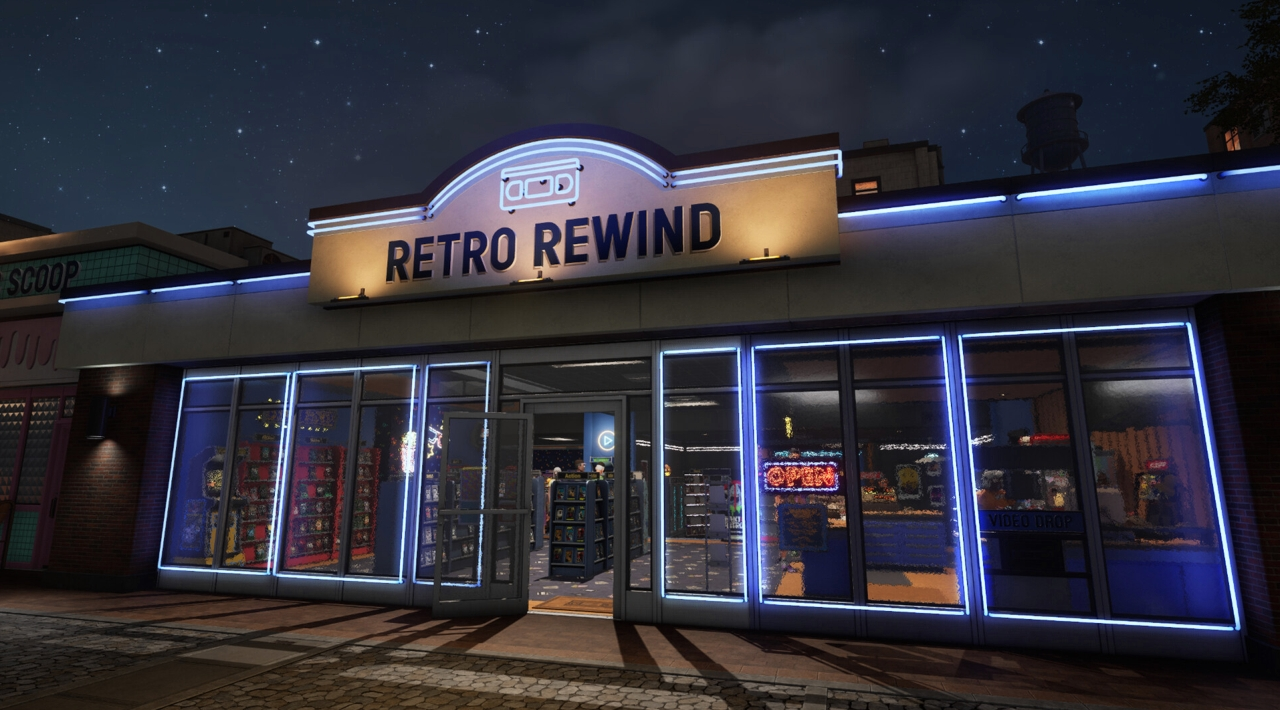
Retro Rewind Video Store Simulator is a first-person PC shop-management game about running a neighborhood VHS rental business. The current Steam storefront uses the official title Retro Rewind - Video Store Simulator; no separate rebrand, definitive edition, or replacement name is currently presented. You rent and sell tapes, organize shelves, handle customers, expand the store, and build a catalog around the atmosphere of early video rental shops.
Its appeal comes from turning ordinary retail routines into the main event. Instead of chasing action or a conventional campaign, you work through a steady business loop where inventory, customer service, store layout, and daily cash flow all matter.
Running the Store One Shift at a Time
The core loop begins with stocking the shop and preparing for customers. You order movies through an in-game computer, place tapes on shelves, process reservations, and keep popular genres available when demand rises.
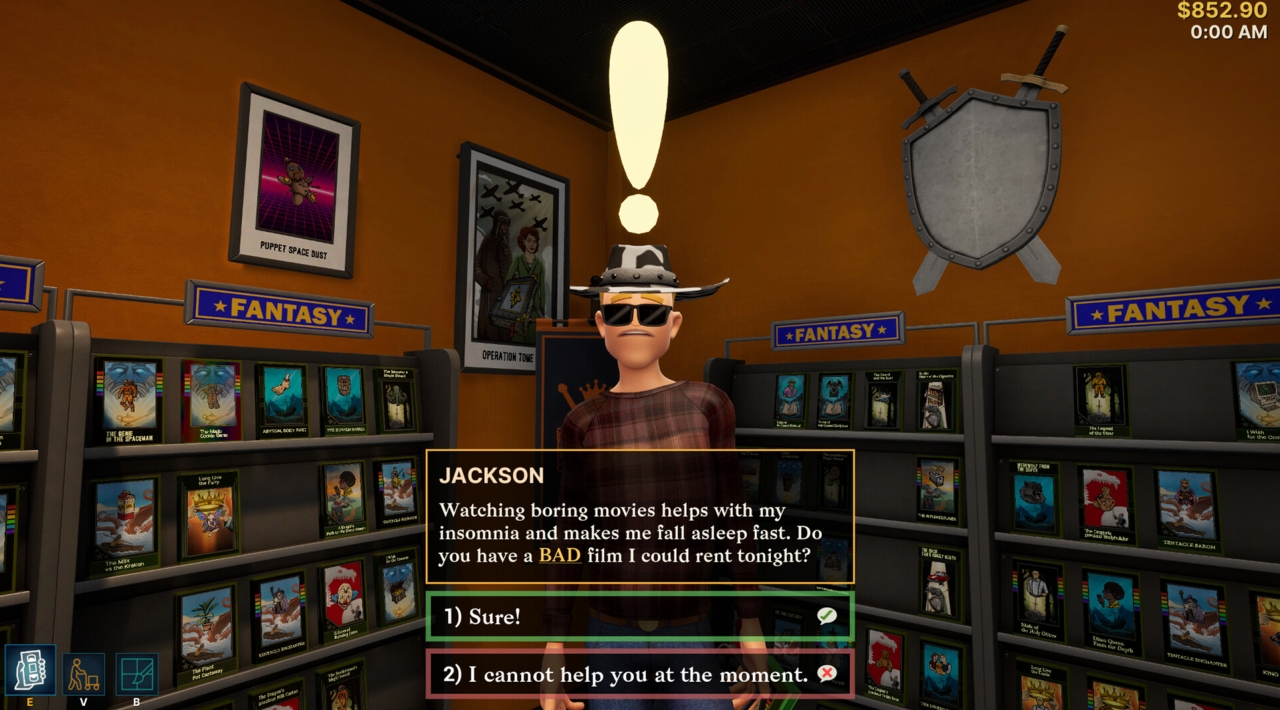
Customers can rent or buy movies, ask for recommendations, and purchase snacks. That gives the game a more hands-on structure than a menu-driven tycoon, because many tasks are completed directly inside the store rather than only through management screens.
Returns create another layer of routine. You add tapes back into the system, rewind VHS cassettes, inspect damaged items, and set reserved movies aside for the customers who requested them.
Late and broken returns are not treated as simple accounting entries. The game includes late fees, damage charges, and different customer reactions, so enforcing store policy can become part of the service challenge.
Inventory, Tape Codes, and the Movie Catalog
The catalog is built around thousands of unique VHS tapes. Each tape has its own title, genre, and hand-drawn cover art, making collection management one of the game’s most distinctive systems.
Movie stock is not presented as a generic list of identical products. The individual tape identity and cover presentation make browsing, organizing, and deciding what belongs on the shelves feel central to the store’s personality.
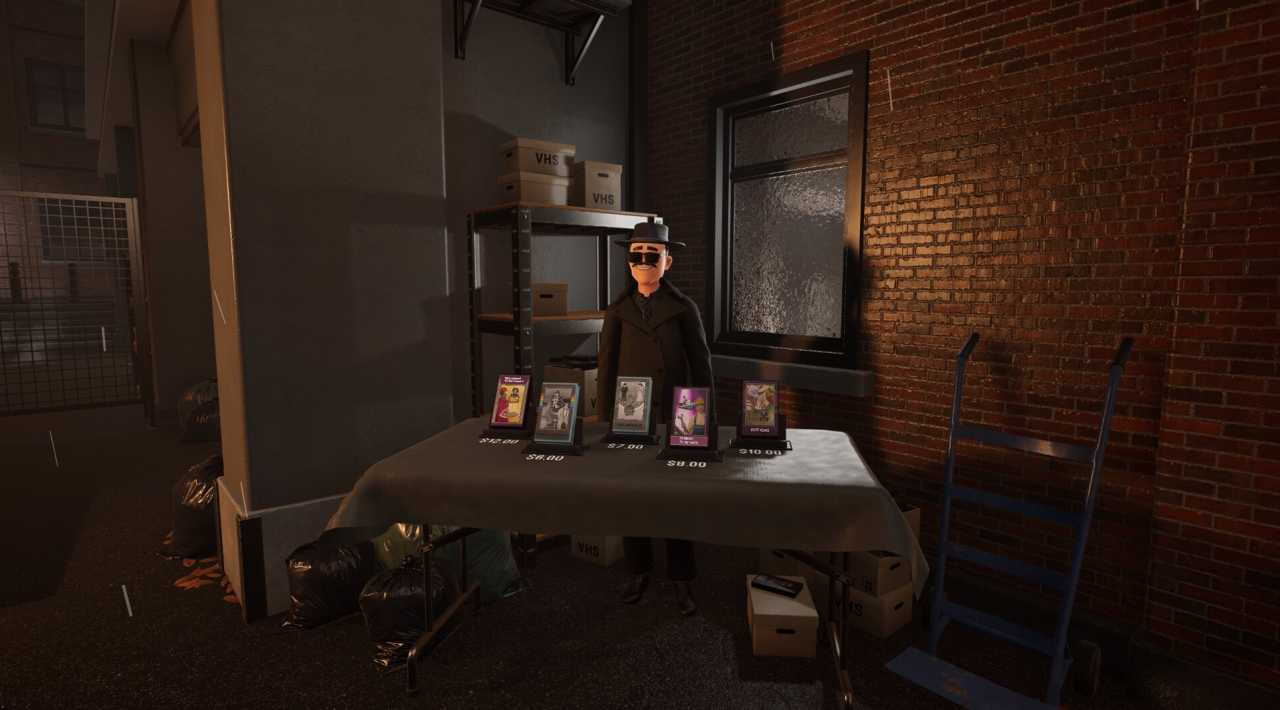
The in-game PC is the normal route for ordering movies, while a separate Tape Dealer offers exclusive bootleg films. That dealer adds a less conventional source of inventory and gives the otherwise cozy retail simulation a slightly shady side business.
Every movie can also be associated with a unique code that players can share. This supports a catalog-focused social layer without changing the game’s fundamentally single-player structure.
Growing, Decorating, and Delegating
Store development is split between business expansion and physical customization. You can alter walls and floors, place posters and memorabilia, and expand the available layout as the rental business becomes more successful.
Layout changes are not merely cosmetic. More space gives you room for additional shelves, displays, and customer traffic, while decoration helps establish the visual identity of your video store.
As the workload increases, you can hire staff to help with daily operations. This gradually shifts the experience from doing every task yourself toward managing a team and deciding which parts of the business need support.
The balance between hands-on work and delegation is important for players who enjoy shop simulators but do not want the entire game to remain a repetitive checkout routine. The store begins as a personal project and develops into a broader management problem.
Weather, Seasons, and Customer Demand
Customer behavior changes with seasons, weather, holidays, and festivals. The store therefore has more variation than a fixed daily schedule where every customer behaves the same way.
Rainy Friday nights are specifically presented as busy periods, creating spikes in foot traffic and making preparation more important. A well-stocked store and properly assigned staff can matter most when demand suddenly rises.
The game includes all four seasons, with environmental changes, special holidays, and festival artwork helping the shop feel like it exists within a repeating calendar rather than an endless neutral workday.
This structure gives the progression loop a practical rhythm: prepare inventory, open the store, handle the rush, process returns, review the business, and improve the shop before the next demanding period.
Who Should Play Retro Rewind?
Retro Rewind is aimed at players who enjoy relaxed management simulations, first-person retail tasks, inventory organization, and gradual store expansion. Its strongest hook is the specific VHS rental setting rather than a complex economic model.
It should suit players who like completing practical routines, arranging a physical shop, collecting themed products, and watching a small business become more capable over time.
The game is less suitable for anyone looking for combat, competitive multiplayer, deep financial abstraction, or a story-heavy career mode. Its structure is based on running the store efficiently and mastering recurring tasks rather than following a cinematic narrative.
Players who enjoy hands-on retail games can compare its stocking, layout, and customer-service rhythm with first-person electronics shop management in Tech Store Simulator, although Retro Rewind replaces gadgets with VHS rentals, movie recommendations, and nostalgic store decoration.
PC Features, Languages, and Storefront Content
The current PC version is distributed through Steam and is listed as a single-player game. Steam features include Achievements, Trading Cards, Steam Cloud, Stats, and Family Sharing.
A playable demo is listed alongside the main game. The storefront also lists a separate soundtrack item, while no paid DLC pack, season pass, or licensed expansion lineup is currently identified in the available content listing.
Steam does not advertise online multiplayer, local co-op, or split-screen support. This is a solo shopkeeping experience, with staff acting as the game’s internal support system rather than as player-controlled partners.
Interface text is available in English, French, German, Spanish from Spain, Italian, Brazilian Portuguese, Russian, and Traditional Chinese. Full audio is not listed for these languages, so the localization information should be understood primarily as interface support.
The storefront does not advertise dedicated controller support, Cabinet Mode, mod tools, or specialized multi-monitor features. The clearest PC-specific advantages are the Steam ecosystem features, the first-person presentation, and the ability to manage the store directly from its physical interior.
Related Retail Management Games
Retro Rewind has a narrower theme than general-purpose business simulators, but its mechanical foundation is familiar: acquire stock, organize products, serve customers, expand the premises, and decide when staff are worth the expense.
Players interested in a broader shopkeeping framework may also find useful comparisons in hands-on business management with inventory and expansion in Motel Manager Simulator. The settings differ, but both games turn routine service work and gradual property development into the main progression loop.
The closest comparison is not about identical products. It is about the satisfaction of improving a physical business one shelf, customer interaction, and operational upgrade at a time.
Retro Rewind Video Store Simulator FAQ
What is the current official name of Retro Rewind Video Store Simulator?
The current Steam listing uses Retro Rewind - Video Store Simulator. “Retro Rewind Video Store Simulator” remains a common search variation, but no separate rebrand or definitive replacement edition is shown.
What kind of game is Retro Rewind - Video Store Simulator?
It is a first-person simulation combining shop management, business management, inventory organization, casual life-sim elements, and customer service. The main loop focuses on operating and expanding a VHS rental store.
Does Retro Rewind have multiplayer or co-op?
No multiplayer, co-op, or split-screen mode is advertised. The game is listed as single-player, with hired staff supporting the store’s operations.
What can you do in the video store?
You can rent and sell movies, order tapes, organize shelves, process returns, rewind VHS cassettes, manage reservations, recommend films, prepare snacks, charge late or broken fees, decorate the premises, expand the layout, and hire staff.
How does the movie catalog work?
The store can carry thousands of unique VHS tapes with individual titles, genres, and hand-drawn cover art. Movies are ordered through the in-game PC, while the Tape Dealer supplies exclusive bootleg films. Each movie also has a unique code that can be shared with other players.
What languages are supported on PC?
The interface supports English, French, German, Spanish from Spain, Italian, Brazilian Portuguese, Russian, and Traditional Chinese. The storefront does not list full audio support for these languages.
System Requirements
Minimum: | Recomended: |
| Processor: Intel Core i5 3570K Graphics: Nvidia GeForce 560 GTX Memory: 4 GB RAM Disk space: 2 GB available space Operating system: Windows 11 (64-bit) | Processor: Intel i7-4770 Graphics: Nvidia GeForce 1070 GTX Memory: 8 GB RAM Disk space: 2 GB available space Operating system: Windows 11 (64-bit) |
Screenshots

Trailer/Gameplay
Download
Retro Rewind Video Store Simulator (2026), 1.67GB
ElAmigos release, game is already cracked after installation (crack by Codex/Rune).

Updated to version 2308 (24.06.2026).

1. Extract files.
2. Burn or mount the image.
3. Install the game.
4. ElAmigos release, game is already cracked after installation.
5. Play the game. If you like this game, BUY IT!
Retro Rewind Video Store Simulator Download
🔒 Premium access required
To see and use the download links, you must be logged in and have an active PREMIUM account.
* Unlock downloads via Torrent and TeraBox.
Torrent Download
The best torrent download speeds are with qBittorrent!