Samurai Warriors 4-II

- Category:
- Release date:
- Game Genre:Action, TPP, hack'and'slash, beat 'em up, multiplayer, for 2 people, co-op, Samurai, splitscreen
- Developer:Omega Force Publisher: Koei Tecmo
- Release:ElAmigos
- Platform:PC
- Languages (subtitles):English
- Dubbing/Audio:Japanese
- Crack:3DM, Ali213
- Game size:8.24GB
Game Description
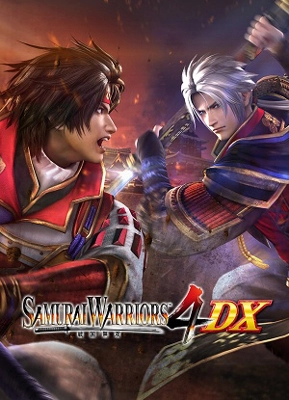
Samurai Warriors 4-II PC is a third-person musou hack-and-slash game from Omega Force and KOEI TECMO GAMES. The current Steam listing still uses the original name, SAMURAI WARRIORS 4-II; it has not been rebranded as SAMURAI WARRIORS 4 DX, which is a separate and newer Steam product built around the original Samurai Warriors 4 campaign and its expanded content.
Character-focused musou combat
The core loop is direct and deliberate: choose a warrior, enter a battlefield inspired by Japan's Warring States period, complete objectives, defeat enemy officers, and cut through large formations of regular troops. Battles use a third-person camera and emphasize positioning, target priority, crowd control, and the different attack patterns attached to each playable officer.
Normal Attacks, Power Attacks, Hyper Attacks, Spirit Charges, Musou Attacks, and mounted combat give the action more structure than simple button mashing. Hyper Attacks let characters move rapidly through ordinary soldiers, but they are less effective against enemy officers, so tougher encounters still require a change of approach. Enemy camps, standard bearers, mission objectives, and battlefield conditions create a steady rhythm between clearing crowds and responding to tactical events.
The combat system also includes Rage Mode, activated when the Spirit Gauge is full. Rage strengthens attacks and protects the character from enemy attacks for its duration, while using a Musou Attack in that state triggers the powerful Musou Frenzy Attack. Against officers, conditional finishing attacks called Mighty Strikes can turn a stagger or low-health opening into a decisive advantage.
Story Mode changes the structure
The largest difference from the original Samurai Warriors 4 is the shape of its narrative. Instead of centering the campaign on broad regional conflicts and an overarching unification structure, Story Mode focuses on individual characters and their perspectives. This makes the game a better fit for players who want shorter, personality-driven campaign threads rather than one unified historical overview.
The approach gives officers such as Naomasa Ii, Nobuyuki Sanada, Hisahide Matsunaga, and Gracia more room to anchor their own scenarios. The game still draws on the same historical setting and recurring battles, but the presentation is organized around character development, personal conflicts, and the relationships between prominent warriors.
Stages unlocked in Story Mode can be replayed in Free Mode, where you can select your own character instead of following the original scenario assignment. This is useful for testing the roster, pursuing stage objectives with a preferred moveset, and building characters outside the campaign paths in which they first appear.
Survival Mode and character development
Survival Mode provides the main repeatable challenge loop. In its standard form, you take one character into a castle and attempt to clear as many levels as possible while managing health, time, equipment, and the risk of continuing. Weapons and mounts acquired during a run can be preserved by using the Escape command, while higher floors provide stronger enemies and better potential rewards.
Survival Mode also includes persistent level bonuses, giving repeated attempts a sense of forward progress even when a run ends. Its challenge variant is built around score attacks rather than a conventional campaign. The Chamber of Trials asks you to defeat as many enemies as possible within a time limit, the Chamber of Riches focuses on collecting gold, and the Chamber of Agility turns the battlefield into a timed route through guarded checkpoints.
After the required challenge scores are achieved, the severe Chamber of Death becomes available. It is designed around overwhelming enemy damage and punishes under-leveled characters, making it a high-risk test for players who have already learned the roster and optimized their equipment.
Roster, progression, and paid content
Naomasa Ii makes his playable debut in this entry, while the wider roster carries over the distinctive weapons, attack types, and development systems associated with Samurai Warriors 4. Character growth is tied to improving officers and their equipment, so the long-term loop is less about a single protagonist and more about developing a collection of warriors for different battlefield roles.
The Create Character feature returns, allowing players to design original officers who can be used in Free Mode and Survival Mode. It is not the centerpiece of a separate Chronicle campaign here, so its value is greatest for players who enjoy customization, alternate character concepts, and experimenting with the game's weapons and progression systems.
Steam lists the game as a paid standalone product with separate add-ons. The available DLC includes weapon, horse, animal, scenario, BGM, costume, and character-editing content, with 11 DLC items currently shown on the storefront. These additions are optional rather than a replacement for the main Story, Free, Survival, and character-creation modes.
PC features and multiplayer reality
The PC edition is distributed through Steam and includes Steam Achievements, leaderboards, Family Sharing, and Remote Play Together. Steam also identifies the game as supporting shared or split-screen co-op. The official feature information confirms that Story Mode and Free Mode can be played with another person, although the single-player character-switching feature is unavailable during co-op.
That distinction matters. Solo play is built around switching between two battlefield characters and issuing plans to the inactive officer, while co-op uses two players without that same character-switching system. Players choosing the PC version should also treat a gamepad as the practical input option: Steam lists partial controller support, while the keyboard-and-mouse implementation is more utilitarian than modern PC-first action games.
The storefront lists English interface and subtitles alongside Japanese full audio. There is no separate anti-cheat feature advertised for the game, and the Steam listing does not identify an additional publisher launcher. For catalog purposes, the clearest description is a Steam-based, controller-oriented PC port with English text and Japanese voice audio.
Who should play Samurai Warriors 4-II?
This is a strong match for players who enjoy large-scale crowd combat, distinctive character movesets, historical fantasy, and replayable challenge modes. It is especially suited to fans who prefer following individual officers and revisiting battles with different characters rather than completing a single tightly authored action campaign.
Players expecting the broader faction presentation and custom-character journey of the original Samurai Warriors 4 should know that those priorities are not reproduced here. The revised Story Mode is narrower, Survival Mode is more score-and-risk focused, and the Create Character system supports Free Mode and Survival Mode without receiving the same central narrative role.
For a comparable Omega Force experience built around classic battlefield objectives and two-player action, historical musou combat like Dynasty Warriors 8: Xtreme Legends Complete Edition is a natural comparison. Players more interested in switching between a large team of warriors and mixing Japanese and Chinese characters may prefer crossover hack-and-slash battles such as Warriors Orochi 3 Ultimate.
Samurai Warriors 4-II FAQ
Is Samurai Warriors 4-II the same game as Samurai Warriors 4 DX?
No. Steam continues to list SAMURAI WARRIORS 4-II under that name, while SAMURAI WARRIORS 4 DX is a separate release based on the original Samurai Warriors 4 and includes a much broader collection of previously released add-on content.
Does Samurai Warriors 4-II include the original Samurai Warriors 4 campaign?
Its Story Mode is a different presentation focused on individual characters. It does not simply reproduce the original game's regional Story Mode structure, so players seeking the original campaign format should distinguish the two products carefully.
Can two players play Samurai Warriors 4-II on PC?
Yes. Steam lists shared or split-screen co-op, and the official game information supports two-player play in Story Mode and Free Mode. Co-op does not retain the single-player character-switching feature.
What is Survival Mode in Samurai Warriors 4-II?
It is a castle-climbing mode where you clear successive floors, balance health and time, collect weapons and mounts, and decide when to escape with your rewards. Its Challenge variant adds timed score attacks, including Trials, Riches, Agility, and the unlockable Chamber of Death.
Does the PC version support English?
Yes. Steam lists English interface and subtitles. Japanese is available as full audio, while the storefront does not list English voice acting.
Is Samurai Warriors 4-II mainly a single-player game?
Yes. The campaign and character progression are primarily designed for solo play, but Story Mode and Free Mode can be played cooperatively, with Steam Remote Play Together also listed as a platform feature.
System Requirements
Minimum: | Recomended: |
| Processor: Intel Core 2 Duo 2.4 GHz Graphics: 512 MB GeForce 8800 Memory: 1 GB RAM Disk space: 9 GB HDD Operating system: Windows Vista/7/8/8.1 | Processor: Intel Core i7 2.8 GHz Graphics: 512 MB GeForce 8800 Memory: 2 GB RAM Disk space: 9 GB HDD Operating system: Windows Vista/7/8/8.1 |
Screenshots
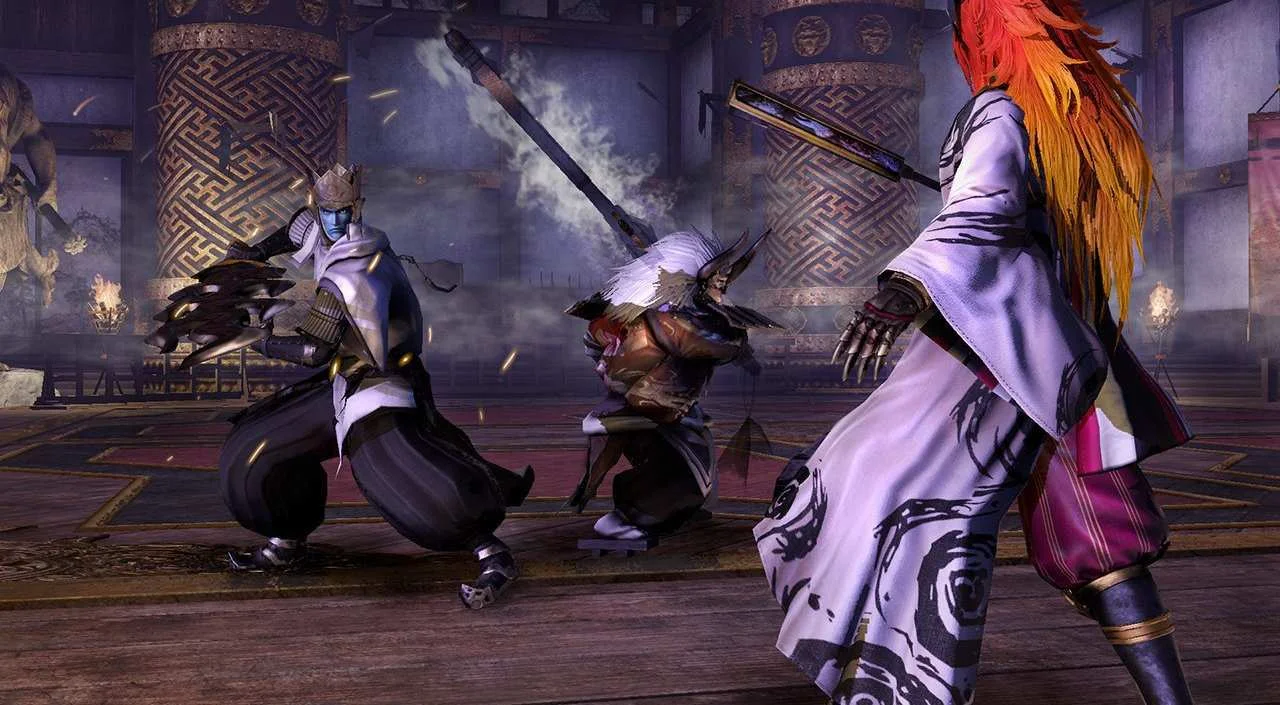


Trailer/Gameplay
Download
Samurai Warriors 4-II (2015), 8.24GB
ElAmigos release, game is already cracked after installation (crack by 3DM or Ali213).

+ DLC pack (28.10.2015), 40MB

1. Extract files.
2. Burn or mount the image.
3. Install the game.
4. ElAmigos release, game is already cracked after installation.
5. Play the game. If you like this game, BUY IT!
Samurai Warriors 4-II Download
🔒 Premium access required
To see and use the download links, you must be logged in and have an active PREMIUM account.
* Unlock downloads via Torrent and TeraBox.
DLC: Old Costumes Set, Special Costume Set 1, Special Costume Set 2, BGM Set 1, BGM Set 2, Horse Set, Animal Set, Scenario Set, Weapon Set, Edit Parts Set + 2 more.
Torrent Download
The best torrent download speeds are with qBittorrent!