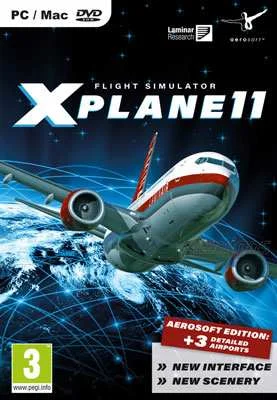
X-Plane 10

- Category:
- Release date:
- Game Genre:Simulation, planes, multiplayer
- Developer:
- Release:ElAmigos
- Platform:PC
- Languages (subtitles):English, French, Italian, German, Spanish, Russian, Portuguese, Japanese
- Dubbing/Audio:English
- Crack:not necessary
- Game size:56.24GB
Game Description
X-Plane 10 PC is a technical civil flight simulator from Laminar Research, built around detailed aircraft behavior, worldwide navigation, and a sandbox structure rather than a conventional campaign. The current official naming remains X-Plane 10 for the standalone product, while Steam identifies its legacy edition as X-Plane 10 Global - 64 Bit. It has not been rebranded as a Classic, Definitive, or free-to-play edition.
Flight Modeling And The Core Simulation Loop
The central loop is simple to describe but demanding to master: choose an aircraft, departure point, weather conditions, and destination, then manage the flight from startup through navigation, approach, landing, and shutdown. There is no traditional story campaign. Progress comes from learning procedures, refining landings, handling unfamiliar aircraft, and creating increasingly complex flight situations.
X-Plane 10 supports fixed-wing aircraft, helicopters, gliders, VTOL designs, and experimental machines. Its defining feature is a physics-driven flight model that calculates how aircraft geometry, airfoils, control surfaces, weight, balance, and environmental forces affect handling. The result is not an arcade control scheme where every aircraft feels interchangeable. Trim, yaw, lift, drag, fuel load, turbulence, and control sensitivity can all change how an aircraft behaves.
The primary perspective is the interactive cockpit view, with panel and instrument views designed for instrument flying and procedural work. External and free camera views are also available for observing the aircraft, checking approaches, or reviewing a flight. Keyboard and mouse controls are supported, but a joystick, yoke, throttle, and rudder pedals provide much finer control and are the intended setup for serious flying.
Weather, Failures, And Air Traffic
Weather is more than a visual layer. X-Plane 10 can simulate wind, turbulence, wind shear, microbursts, rain, snow, clouds, thermals, and storm conditions. Players can build static weather scenarios, create conditions manually, or use downloaded real-world weather when the installation has the necessary online access.
The simulator also includes aircraft failure modeling. Engines, instruments, flight controls, landing gear, antennae, and other systems can fail through deliberate setup or random events. This gives flights a practical decision-making layer: a normal route can become an emergency exercise involving checklists, abnormal handling, navigation changes, and a difficult landing.
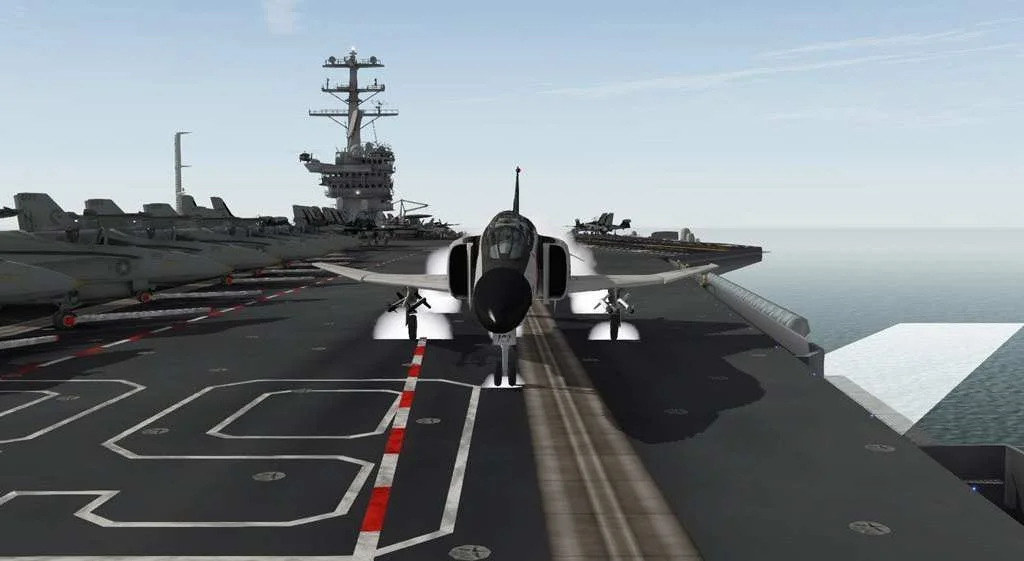
X-Plane 10 introduced a redesigned air traffic control system and AI aircraft behavior compared with earlier versions. AI traffic operates with its own flight models, while ATC adds communication and routing considerations around airports. Players can also explore unusual scenarios such as carrier operations, aerial firefighting, formation flying, mid-air refueling, combat situations, and spaceflight experiments.
Aircraft, Scenery, And Creation Tools
The standard simulator includes more than 40 aircraft and worldwide scenery coverage, with the ability to start at airports across the globe. The scenery system combines airport layouts, terrain, roads, vegetation, buildings, weather, and navigation data into a broad sandbox where the player chooses the route and operating conditions.
Its long-term value comes from the surrounding creation ecosystem. Plane Maker allows users to build or modify aircraft, while Airfoil Maker supports custom airfoil performance profiles. Players can also add third-party aircraft, scenery, liveries, sounds, and plugins. This makes X-Plane 10 less like a fixed-content game and more like a configurable flight platform.
That openness is useful for aviation enthusiasts who want to reproduce a particular aircraft or airport, but it also means the experience depends on how much setup the player is willing to handle. Anyone seeking a polished, guided progression path will find less structure here than in mission-focused flight games.
Editions, Access, And Content Model
X-Plane 10 was distributed in several forms, including X-Plane 10 Global, Regional editions, and a Professional version. Global provides the broad consumer simulator package, while Regional editions limit the included scenery area without changing the basic simulation framework. The Professional version is aimed at commercial and training-oriented installations with specialized hardware integration.
The standalone digital edition uses a product key and requires periodic online authentication outside demo operation. The Steam edition uses the Steam client and requires Steam login when launching according to the official product information. Steam also separates the simulator from later franchise entries: buying X-Plane 10 does not grant access to X-Plane 11 or newer versions.
There is no verified season pass or conventional publisher DLC program attached to the core X-Plane 10 product. The practical content model is a purchased simulator with included aircraft and scenery, expanded by optional community aircraft, scenery packages, and plugins. That structure makes the base package flexible, but third-party additions should be evaluated individually for compatibility.
PC Hardware And Network Features
X-Plane 10 is designed for dedicated simulation hardware rather than a single fixed control method. The input system supports configurable axes and buttons for pitch, roll, yaw, throttle, brakes, trim, landing gear, and aircraft systems. Mouse flying is possible, but the manual explicitly treats it as a fallback rather than an equivalent replacement for a yoke or joystick.
Advanced setups can use multi-monitor cockpit views, multiple networked computers, external visuals, a copilot station, and an Instructor Operating Station. These features allow one computer to display the pilot panel while another handles the copilot side or additional outside views. Network connections also support multiplayer flights and multi-computer simulation layouts.
Localization is broader than English alone. The Steam edition lists interface support for English, German, French, Italian, Spanish, Portuguese, Brazilian Portuguese, and Russian. The official manual is also available in several languages, while spoken audio support is not presented as a major feature of the simulator.
Who Should Play X-Plane 10?
X-Plane 10 suits players who enjoy procedural flying, cockpit instrumentation, realistic control response, weather planning, aircraft failures, and self-directed practice. It is particularly strong for users who want to configure a yoke or joystick, repeat approaches, study navigation, or experiment with aircraft design instead of following a scripted campaign.
It is a weaker fit for players looking for fast aerial combat, character progression, structured missions, or immediate accessibility with a gamepad. The learning curve is part of the appeal, and many of the most interesting systems only become useful after the player understands trim, navigation, engine management, and aircraft-specific procedures.
For a more mission-oriented civilian aviation alternative, classic PC flight simulation with structured missions like Microsoft Flight Simulator X: Steam Edition offers a different balance between guided activities and free flight. Players more interested in airport operations than piloting can compare its focus with hands-on airport ground simulation in AirportSim.
X-Plane 10 FAQ
Is X-Plane 10 still called X-Plane 10?
Yes. The standalone product is still presented as X-Plane 10, while the Steam listing uses the more specific name X-Plane 10 Global - 64 Bit. There is no verified official rename to X-Plane 10 Classic or another replacement title.
Does X-Plane 10 include worldwide scenery?
The Global edition includes worldwide scenery coverage. Regional editions contain only selected areas, while the Steam version includes the Earth scenery package as a separate scenery download rather than placing all of it in the initial installation.
Does X-Plane 10 have multiplayer?
Yes. The simulator supports networked multiplayer flights, and its networking tools can also connect multiple computers for external displays, copilot stations, and other cockpit configurations. It is not structured around a persistent MMO-style online world.
Can X-Plane 10 be played with a controller?
The verified control documentation focuses on keyboard, mouse, joystick, yoke, throttle, and rudder-pedal hardware. A joystick or yoke is the better choice for precise aircraft handling, especially when using realistic control response and manual procedures.
Can players create aircraft in X-Plane 10?
Yes. The included Plane Maker tool supports custom aircraft and modifications, while Airfoil Maker supports custom aerodynamic profiles. Users can also install third-party aircraft, scenery, liveries, sounds, and plugins.
Is X-Plane 10 a campaign game?
No. Its structure is an open-ended flight sandbox built around route planning, aircraft mastery, navigation practice, weather, failures, ATC, and custom scenarios. The simulator records flight information in a logbook, but it does not use a conventional story campaign or level-based progression system.
System Requirements
Minimum: |
Processor: Core 2 Duo 2 GHz Graphics: 128 MB VRAM Memory: 2 GB RAM Disk space: 57 GB HDD Operating system: Windows XP/Vista/7 |
Screenshots



Trailer/Gameplay
Download
X-Plane 10 (2011), 56.24GB
ElAmigos release. Updated to version 10.45r2 32/64bit (16.02.2016).

1. Extract files.
2. Burn or mount the image.
3. Install the game.
4. ElAmigos release, game is already cracked after installation.
5. Play the game. If you like this game, BUY IT!
X-Plane 10 Download
🔒 Premium access required
To see and use the download links, you must be logged in and have an active PREMIUM account.
* Unlock downloads via Torrent and TeraBox.
Torrent Download
The best torrent download speeds are with qBittorrent!