Microsoft Flight Simulator X: Steam Edition
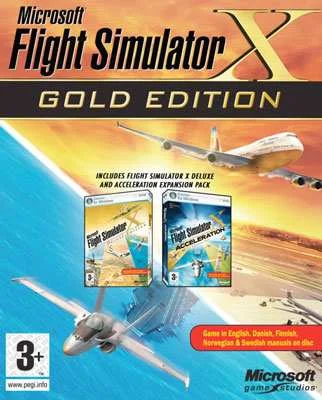
- Category:
- Release date:
- Game Genre:Simulation, planes, multiplayer
- Developer:
- Release:ElAmigos
- Platform:PC
- Languages (subtitles):English, French, Italian, German, Spanish, Polish, Portuguese-Brazil (unofficial), Czech (unofficial), Slovak (unofficial)
- Dubbing/Audio:English, French, Italian, German, Spanish, Slovak (unofficial)
- Crack:TinyISO
- Game size:12.18GB
Game Description
Microsoft Flight Simulator X: Steam Edition is a classic PC flight simulation game built around aircraft handling, worldwide free flight, structured missions, and online aviation. The current Steam storefront still uses this exact name; there is no verified rebrand to a Classic, Definitive, or Remastered edition. It is the Steam package of Microsoft Flight Simulator X, published on the platform by Xbox Game Studios and listed with Microsoft Game Studios as developer.
This edition is aimed at players who want more than a casual flying game. You can take a Boeing 747-400 across long routes, practice in a Cessna 172, operate helicopters, fly a floatplane, or compete in organized air races. Its appeal comes from the breadth of possible flights rather than a single campaign.
How the flying works
FSX: Steam Edition uses a first-person cockpit perspective as its main simulation view, with external and alternate camera views available for sightseeing, formation flying, and landing practice. The core loop is straightforward: choose an aircraft, select a departure point, configure the time, season, and weather, then manage the flight from takeoff through navigation and landing.
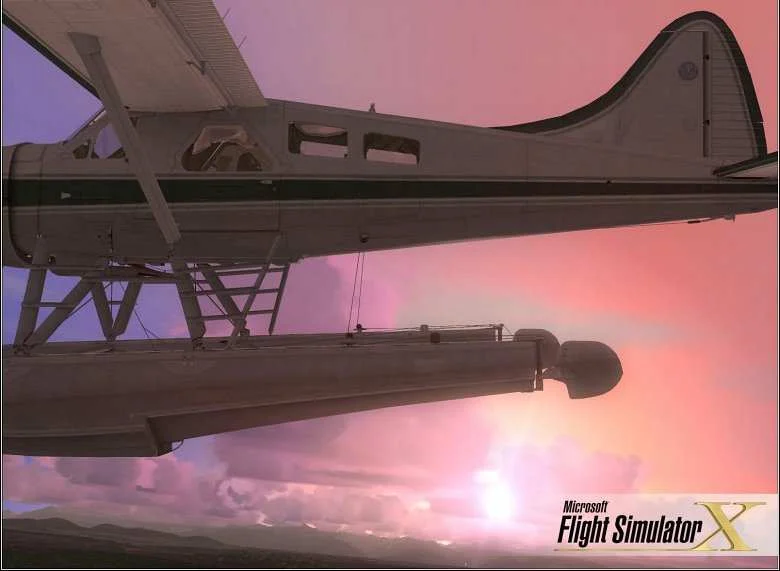
Aircraft behave differently according to their class and equipment. A light trainer rewards careful attitude and power control, while a jet airliner demands more attention to speed, altitude, navigation, and approach procedures. Helicopters introduce a separate control challenge, and aircraft such as the De Havilland DHC-2 Beaver and Grumman G-21A Goose support a very different style of low-speed and water-based flying.
The simulation is not structured like a traditional level-based action game. Players create their own objectives through free flight, route planning, aircraft mastery, landing practice, sightseeing, and repeat attempts at difficult missions. That open structure makes it suitable for both short training sessions and long-form virtual airline-style flights.
Missions, careers, and aviation challenges
The included mission library gives FSX a clearer sense of progression than a pure sandbox simulator. There are over 80 missions covering activities such as search and rescue, test flying, carrier operations, passenger work, unusual landings, and other task-based scenarios.
Missions track performance and award rewards, giving players a reason to improve rather than simply complete the objective once. Some scenarios test precision and aircraft knowledge, while others introduce unusual situations that are difficult to reproduce in ordinary free flight.
The Steam package also includes competitive racing. Its race formats include Red Bull Air Race-style pylon courses, Reno-style unlimited racing, cross-country events, sailplane competitions, and fictional courses. Difficulty ranges from accessible pylon challenges to demanding races affected by weather and tight maneuvering requirements.
For players who prefer aviation roles beyond piloting, multiplayer sessions can include air traffic controller and co-pilot roles. That distinction is important: FSX multiplayer is not simply a shared campaign or split-screen mode. It is a session-based environment where participants can fly, coordinate traffic, race, or host structured activities.
Aircraft and included content
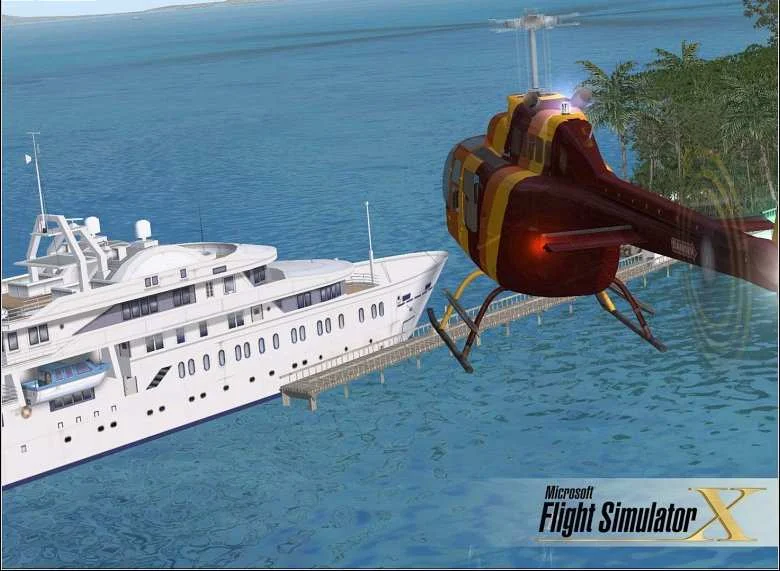
The standard Steam package provides a broad stock fleet covering airliners, business aircraft, trainers, aerobatic planes, gliders, floatplanes, helicopters, and military aircraft. Notable examples include the Boeing 737-800, Boeing 747-400, Airbus A321, Bombardier CRJ700, Learjet 45, Extra 300S, Douglas DC-3, Robinson R22 Beta II, Bell 206B JetRanger, and Boeing F/A-18.
The package incorporates content associated with the Acceleration expansion, including the F/A-18 Hornet, EH-101 helicopter, and P-51D Mustang. Its related mission and racing content is part of the Steam installation rather than a separate expansion purchase for the base simulator.
Steam also lists a large ecosystem of optional aircraft, airport, scenery, environment, and utility add-ons. These are not required to access the core simulator, but they are central to the long-term FSX experience for players who want specialized aircraft, improved regional scenery, or additional cockpit tools.
There is one important limitation for returning FSX owners. The Steam edition is functionally similar to the boxed simulator, but existing third-party add-ons are not guaranteed to work correctly. Installation paths differ, and the Flight Simulator X SDK is not included with the Steam package, so developers and mod users should check compatibility before migrating an established library.
PC controls and hardware support
FSX: Steam Edition supports keyboard and mouse control, gamepad input, and dedicated flight peripherals. The mouse can interact directly with cockpit switches, knobs, radios, GPS controls, throttles, and mixture levers, making it useful even when a player does not own a yoke or joystick.
An Xbox 360 Controller for Windows is specifically documented, while joysticks, yokes, rudder pedals, throttle quadrants, and switch panels can provide a more natural setup. The simulator does not require specialist hardware, but flight sticks and yokes make fine control easier during takeoff, approach, hovering, and aerobatics.
Players should expect a configuration process rather than instant plug-and-play perfection. Different peripherals expose different axes and buttons, and the in-game control assignments allow bindings to be adjusted for each setup. This flexibility is useful for multi-device cockpits, but it also means that serious users may spend time tuning sensitivity and button layouts.
There is no verified native VR, cabinet mode, multi-monitor instrument display, or Steam Workshop integration advertised for the current Steam listing. The strongest PC-specific advantages are the Steam multiplayer browser, broad peripheral compatibility, mouse-operated cockpits, and access to the long-running add-on ecosystem.
Multiplayer, offline play, and Steam services
Online multiplayer supports public and private sessions, hosted games, LAN discovery, direct connections, and Steam-based session discovery. Participants can join as pilots or take an air traffic control role, while hosts manage the session and its available settings.
Multiplayer also supports cooperative and competitive forms of play, including shared skies, mission-based activities, air racing, and organized community flights. It is best understood as a flexible session framework rather than a modern matchmaking service with persistent progression.
A later Steam update enabled Steam Offline Mode for the simulator, although multiplayer features remain unavailable while offline. Players should therefore distinguish between offline single-player access and online session functionality.
The multiplayer documentation also describes a host-controlled anti-cheat flag for mission-based sessions. When enabled, users with modified aircraft can be disconnected from that session. This is a narrow multiplayer protection rather than a separately advertised always-on anti-cheat system.
Who should play FSX: Steam Edition?
FSX is a strong fit for players who enjoy learning aircraft systems, repeating landings, planning routes, exploring airports, or building a personal collection of add-ons. It also works well for aviation fans who want structured missions and racing challenges alongside unrestricted free flight.
It is less suitable for players looking for a fast arcade flight game, a cinematic combat campaign, or a seamless modern world simulation with current visual technology. The interface and cockpit workload can feel demanding at first, and the most rewarding experiences come from patience and gradual improvement.
Newcomers can begin with simpler aircraft, easier assistance settings, and training-oriented missions before moving into airliners, helicopters, carrier operations, or competitive racing. Experienced sim pilots can skip the introductory material and focus on complex routes, specialist aircraft, and community add-ons.
Related PC flight simulators
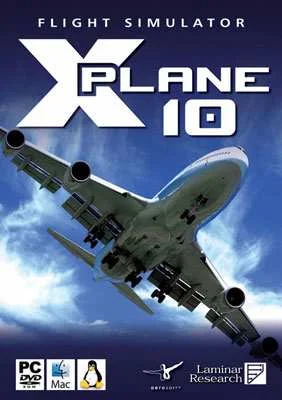
Players comparing classic desktop flight simulators should also consider full-scale civilian flight simulation in X-Plane 11. It is a useful comparison point for cockpit-focused flying, aircraft systems, and the different design priorities found across long-running PC flight sim platforms.
FSX stands apart through its combination of a large mission library, air racing, controller and pilot roles, and compatibility with a huge historical add-on scene. Its strongest identity is not one individual aircraft or visual feature, but the range of aviation activities contained in one simulation package.
The result is a flexible catalog experience: fly casually over familiar locations, follow mission objectives, race through pylons, host a multiplayer session, or spend time configuring a detailed cockpit. That variety explains why the Steam edition remains relevant to players searching for a classic PC flight simulator.
Microsoft Flight Simulator X: Steam Edition FAQ
Is Microsoft Flight Simulator X: Steam Edition still the current PC name?
Yes. The current Steam storefront continues to list the game as Microsoft Flight Simulator X: Steam Edition. There is no verified current rebrand under a Classic, Definitive, Gold, or Remastered title on that storefront.
Does the Steam Edition include Acceleration content?
Yes. The Steam package includes the aircraft and simulator content associated with Acceleration, including the F/A-18 Hornet, EH-101 helicopter, P-51D Mustang, related missions, and racing activities.
Can you play Microsoft Flight Simulator X: Steam Edition offline?
Yes, a Steam update enabled offline play for the simulator. Online multiplayer is not available in Offline Mode, so single-player free flight and missions should be treated separately from Steam and LAN sessions.
Does FSX: Steam Edition support a controller or joystick?
Yes. The simulator supports keyboard and mouse, gamepad input, joysticks, and broader flight-simulation peripherals. A controller is sufficient for basic flying, while a joystick, yoke, throttle, or rudder pedals provide more precise control.
Is multiplayer co-op or split-screen?
FSX: Steam Edition supports online and LAN multiplayer with pilots, hosts, air traffic controllers, racing activities, and shared sessions. It is not presented as a split-screen game, and its multiplayer structure is based on hosted sessions rather than a persistent cooperative campaign.
What language is supported on PC?
The current Steam store listing identifies English interface support and does not list separate full-audio or subtitle languages. Players seeking localized menus should verify the storefront language information before purchasing.
Is the Flight Simulator X SDK included?
No. The Steam Edition does not include the Flight Simulator X Software Development Kit. Existing third-party aircraft and scenery may also require compatibility checks because the Steam installation differs from the boxed version.
System Requirements
Minimum: |
Processor: Pentium 4 2.5 GHz Graphics: 128 MB VRAM Memory: 1 GB RAM Disk space: 13 GB HDD Operating system: Windows XP/Vista |
Screenshots

Trailer/Gameplay
Download
Microsoft Flight Simulator X: Steam Edition (2006), 12.18GB
ElAmigos release, game is already cracked after installation (crack by TinyISO).

All translations except English and German are incomplete.
Installation of "MSXML 4.0 SP2" is required (included in installer).

1. Extract files.
2. Burn or mount the image.
3. Install the game.
4. ElAmigos release, game is already cracked after installation.
5. Play the game. If you like this game, BUY IT!
Microsoft Flight Simulator X Download
 Download from TeraBox
Torrent Download
The best torrent download speeds are with qBittorrent!