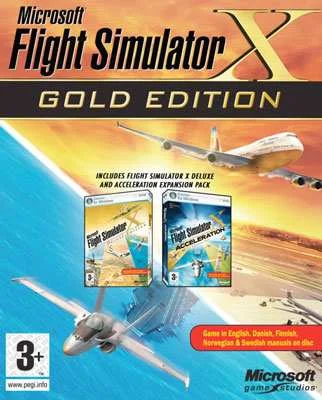
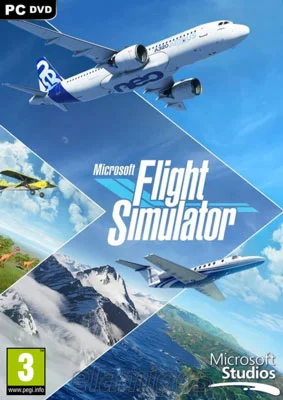
Microsoft Flight Simulator 2020 Deluxe Edition
Edit date: 6-12-2022, 11:37
Reason: Updated to version 1.19.9.0 (17.09.2021)
- Category:
- Release date:
- Game Genre:Simulation, planes, sandbox, multiplayer, Xbox exclusive titles, Xbox Game Pass, Find Your Next Game
- Developer:Asobo Studio, Publisher: Xbox Game Studios / Microsoft Studios
- Release:ElAmigos
- Platform:PC
- Languages (subtitles):English, French, Italian, German, Spanish, Polish, Portuguese-Brazil, Russian, Swedish, Norwegian, Finnish, Dutch, Japanese
- Dubbing/Audio:English, French, German, Portuguese-Brazil
- Crack:Hoodlum
- Game size:89.47GB
Game Description
Microsoft Flight Simulator 2020 Deluxe Edition is now presented on PC storefronts as the Microsoft Flight Simulator (2020) 40th Anniversary Deluxe Edition. Developed by Asobo Studio and published by Xbox Game Studios, it is a civilian flight simulator built around worldwide exploration, detailed cockpits, realistic aircraft behavior, live weather, and self-directed flight planning.
The Deluxe Edition keeps the full world-scale simulation of the Standard Edition while adding five aircraft and five handcrafted international airports. It is aimed at players who want more than arcade flying, but it also includes enough assistance and guided options for newcomers to learn without managing every cockpit procedure immediately.
How the flight loop works
Each session begins by choosing an aircraft, departure point, destination, time, weather conditions, and flight rules. From there, the simulator turns the entire planet into a potential route. You can practice circuits near a familiar airport, plan a cross-country flight, operate a commercial route, or simply fly over cities and landmarks without pursuing a traditional campaign.
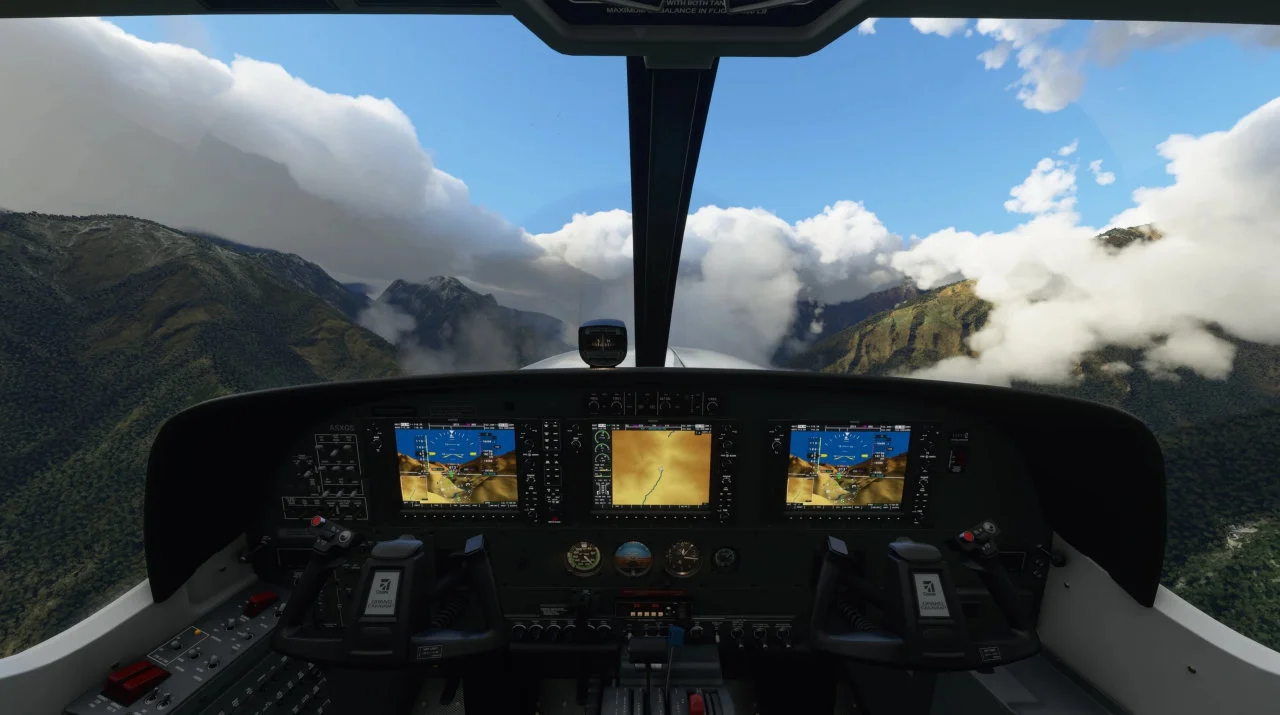
The main experience uses a first-person cockpit perspective, with external and showcase camera views available for sightseeing, approach observation, and reviewing an aircraft in flight. Cockpits contain functional instruments and controls, while the handling model changes significantly between trainers, touring aircraft, turboprops, business jets, and airliners.
Microsoft Flight Simulator is not structured around character levels or a fixed story. Its long-term loop is built around aircraft mastery, route planning, landing practice, navigation, weather management, and gradually reducing assistance. Players create their own objectives, which makes the simulator suitable for both short practice flights and long virtual airline-style sessions.
Players who prefer a more mission-focused and legacy-oriented civilian simulator can compare its open-world structure with classic PC flight simulation built around missions and structured aviation scenarios. The distinction is important: Microsoft Flight Simulator emphasizes a living global environment, while the older format places more weight on predefined activities.
Aircraft handling, weather, and world simulation
The defining system is its combination of aerodynamic modeling, interactive instrumentation, and environmental simulation. Aircraft respond differently to power, trim, configuration, wind, visibility, and weight distribution. A light aircraft rewards precise pitch and power management, while a jet airliner adds navigation, speed control, autopilot operation, and approach procedures to the workload.
Live weather can reproduce changing wind, temperature, humidity, cloud conditions, precipitation, and visibility. The day and night cycle supports visual navigation at different times, while live traffic and streamed world data help make the environment feel less like a collection of disconnected maps.
The world simulation is designed for global sightseeing as much as procedural flying. Roads, rivers, terrain, buildings, coastlines, and urban areas provide visual references during flight. That makes low-altitude exploration enjoyable, but the same world can also support instrument approaches, long-distance navigation, and realistic airport operations.
New pilots can use AI assistance, highlighted checklists, simplified controls, and guided flight lessons. Experienced players can disable those aids and manage more of the aircraft manually. The simulator supports different levels of involvement instead of forcing every user into either a purely casual or fully technical setup.
What the Deluxe Edition adds
The current Deluxe package includes everything in the Standard Edition, then adds five aircraft with their own flight models and five additional handcrafted airports. The aircraft additions are the Diamond DA40-TDI, Diamond DV20, Textron Aviation Beechcraft Baron G58, Textron Aviation Cessna 152 Aerobat, and Textron Aviation Cessna 172 Skyhawk.
The additional handcrafted airports are Amsterdam Airport Schiphol, Cairo International Airport, Cape Town International Airport, Chicago O'Hare International Airport, and Adolfo Suarez Madrid-Barajas Airport. These are more detailed destinations rather than separate missions, so their value depends on whether you enjoy flying particular routes and operating from recognizable international hubs.
The Deluxe Edition should not be confused with the Premium Deluxe Edition. Premium Deluxe adds another group of aircraft and handcrafted airports, while later Marketplace products and third-party add-ons remain separate purchases. The Deluxe package is therefore an expanded edition of the core simulator, not a complete license for every aircraft, airport, or community creation available for the platform.
Multiplayer and the self-directed sandbox
Microsoft Flight Simulator supports online multiplayer, allowing pilots to share the simulated world, meet at airports, and fly together. Multiplayer is best understood as shared free flight rather than a conventional co-op campaign. The game does not revolve around a sequence of missions that must be completed by a fixed group.
Solo play remains the main attraction for many players. A flight can be treated as a serious navigation exercise, a sightseeing trip, a landing challenge, or a relaxed tour through a region. There is no required progression path, so the simulator works well for players who prefer setting their own goals and repeating routes to improve technique.
For a sharper contrast, players seeking combat objectives rather than civilian aviation can look at mission-driven historical air combat with arcade and simulation-style controls. Air Conflicts Collection focuses on campaigns, weapons, and aerial objectives, whereas Microsoft Flight Simulator is centered on aircraft operation and the open-ended act of flying.
PC controls and platform features
The PC version supports keyboard and mouse, Xbox controllers, flight sticks, HOTAS setups, and other compatible flight-simulation peripherals. Controls can be remapped, and the cockpit interaction system offers different approaches for users who want to operate instruments with a mouse or with a controller and dedicated flight hardware.
Full controller support makes basic sightseeing and assisted flying accessible, but a flight stick, throttle, yoke, or rudder pedals provide more precise control for takeoffs, landings, coordinated turns, and aircraft with heavier cockpit workloads. A dedicated home cockpit mode is also available for setups that use external panels and hardware.
The simulator supports VR on PC and includes accessibility options such as adjustable text size, customizable control schemes, AI assistance, screen narration for supported menus, and cockpit interaction choices. Steam distribution requires an Xbox Live account and presents the 40th Anniversary branding, while the Microsoft Store and Xbox app provide a separate PC distribution route.
Localization covers a broad range of interface languages, including English, French, Italian, German, Spanish, Polish, Brazilian Portuguese, Russian, Dutch, Finnish, Japanese, Norwegian, and Swedish. Full audio is more limited than interface and subtitle support, and some spoken features, including certain narration or air traffic-control options, may remain English-focused.
Who should play Microsoft Flight Simulator?
This is a strong fit for players who enjoy realistic civilian aviation, global exploration, detailed aircraft systems, route planning, and gradual mastery. It also works for newcomers because assistance can simplify checklists, controls, and navigation until the player is ready to take on more responsibility.
The simulator is less suitable for anyone expecting a fast arcade flight game, a combat campaign, or constant mission rewards. Its most satisfying moments often come from preparation, stable approaches, accurate navigation, and successful landings rather than scripted spectacle.
It is also a poor match for players who want every aircraft to behave similarly. Aircraft have different cockpits, operating procedures, and handling characteristics, so learning one type does not remove the need to understand another. That variety is central to the appeal, but it creates a steeper learning curve than a controller-first arcade flyer.
Microsoft Flight Simulator 2020 Deluxe Edition FAQ
What is the current name of Microsoft Flight Simulator 2020 Deluxe Edition?
The current PC storefront identity is Microsoft Flight Simulator (2020) 40th Anniversary Deluxe Edition. The older “Microsoft Flight Simulator 2020 Deluxe Edition” name remains useful for search and catalog purposes, but the 40th Anniversary branding is the current presentation for this edition.
What does the Deluxe Edition include?
It includes the Standard Edition content plus five additional aircraft and five additional handcrafted airports. The added aircraft include the DA40-TDI, DV20, Baron G58, Cessna 152 Aerobat, and Cessna 172 Skyhawk.
Is Microsoft Flight Simulator a campaign game?
No. Its structure is an open-ended flight sandbox with lessons, challenges, route planning, multiplayer, exploration, and aircraft practice. Progress comes from learning systems and improving piloting technique rather than completing a linear story.
Does the PC version support multiplayer?
Yes. Online multiplayer lets players share the simulated world and fly together, but it is not a traditional co-op campaign with shared story missions. Solo free flight and self-directed objectives remain fully supported.
Can it be played with a controller?
Yes. Xbox controllers, keyboard and mouse, flight sticks, HOTAS devices, and other compatible peripherals are supported. A controller is suitable for assisted flying, while dedicated hardware offers better precision for manual cockpit work.
Does Deluxe include every Marketplace aircraft and add-on?
No. Deluxe includes its specified aircraft and handcrafted airports. Marketplace products, third-party aircraft, scenery, and other add-ons are separate content and should not be assumed to be part of the edition.
System Requirements
Minimalne: | Rekomendowane: |
| Procesor: Intel Core i5-4460 3.2 GHz / AMD Ryzen 3 1200 3.1 GHz Grafika: 2 GB GeForce GTX 770 / Radeon RX 570 Pamiec: 8 GB RAM Miejsce na dysku: 150 GB HDD System: Windows 10 64-bit | Procesor: Intel Core i5-8400 2.8 GHz / AMD Ryzen 5 1500X 3.5 GHz Grafika: 4 GB GeForce GTX 970 / Radeon RX 590 Pamiec: 16 GB RAM Miejsce na dysku: 150 GB HDD System: Windows 10 64-bit |
Screenshots


Trailer/Gameplay
Download
Microsoft Flight Simulator (2020), 89.47GB
ElAmigos release, game is already cracked after installation (crack by Hoodlum).

Updated to version 1.19.9.0 (17.09.2021).

Installation time with 16 threads CPU and SSD - 8 minutes.

Bing Maps/Online high quality maps don't work.

1. Extract files.
2. Burn or mount the image.
3. Install the game.
4. ElAmigos release, game is already cracked after installation.
5. Play the game. If you like this game, BUY IT!
Microsoft Flight Simulator Download
🔒 Premium access required
To see and use the download links, you must be logged in and have an active PREMIUM account.
* Unlock downloads via Torrent and TeraBox.
Torrent Download
The best torrent download speeds are with qBittorrent!