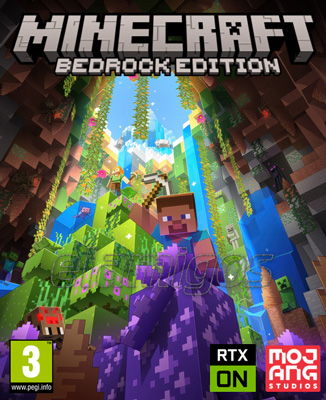
Minecraft Bedrock Edition
- Category:
- Release date:
- Game Genre:Sandbox, Survival, Adventure, Building, Crafting, Multiplayer, Creative, Open World
- Developer:Mojang Studios
- Release:ElAmigos
- Platform:PC
- Languages (subtitles):English, French, Italian, German, Spanish, Spanish (Mexico), Polish, Russian, Czech, Portuguese, Portuguese-Brazil, Dutch, Danish, Hungarian, Finnish, Swedish, Norwegian, Turkish, Ukrainian, Greek, Bulgarian, Indonesian, Slovenian, Japanese, Korean, Simplified Chinese, Traditional Chinese
- Crack:Rune
- Game size:0.70GB
Game Description
Minecraft Bedrock Edition on PC is now presented as Minecraft: Java & Bedrock Edition for PC, with the Bedrock client listed inside the launcher as Minecraft for Windows. It is a first-person sandbox game that combines survival, exploration, crafting, construction, combat, and cross-platform multiplayer in an open-ended block world.
How the Bedrock gameplay loop works
Bedrock has no fixed campaign path. Instead, each world creates a long-term player-driven loop: gather materials, craft tools, secure food, build shelter, explore new biomes, defeat hostile mobs, and turn raw resources into increasingly useful equipment and structures.
Survival mode adds health, hunger, environmental danger, hostile creatures, and resource limitations. Players begin with basic materials and gradually establish farms, mines, storage systems, enchanting areas, transport routes, and defensive bases. Progress is based on knowledge and preparation rather than a traditional character-leveling system.
Creative mode removes most resource restrictions and gives players unlimited access to blocks, flight, and rapid construction. It is suited to architectural projects, redstone testing, command experiments, custom maps, and collaborative building rather than survival progression.
The first-person perspective keeps mining, building, combat, and exploration immediate. Players can dig vertically, construct freely in three dimensions, travel through the Nether, and eventually pursue the challenges associated with The End. Difficulty settings include Peaceful, Easy, Normal, and Hard, allowing the survival pressure to be adjusted before or during a world setup.
Building, crafting, and redstone systems
Construction is the central expression of Bedrock's sandbox design. A small shelter can become a fortified village, automated farm, underground storage complex, themed city, adventure map, or multiplayer hub. The block-based building system is simple to start but supports highly elaborate engineering through spatial planning and redstone components.
Crafting connects nearly every activity. Wood, stone, ores, plants, mob drops, and Nether materials feed into tools, armor, weapons, food, transportation, decoration, and automation. The best progression decisions are often logistical: choosing where to settle, how to organize production, and which resources justify a dangerous expedition.
Redstone automation gives experienced players a separate technical layer. Signals, pistons, observers, dispensers, hoppers, rails, and other components can power doors, sorting systems, farms, traps, transport networks, and compact computers. Bedrock supports command blocks and slash commands as well, although command behavior and technical mechanics are not always identical to Java Edition.
Players who want a more conventional voxel survival game with tamable creatures can compare the block-based crafting and exploration structure of dinosaur survival sandboxes like PixARK, while Bedrock remains more focused on construction freedom and cross-platform access.
World creation and progression
Every new world is built around procedural generation, with terrain, caves, villages, structures, resources, and biomes forming a different starting environment. World seeds can be shared, so players may recreate the same layout for challenge runs, build projects, or multiplayer planning.
Exploration is valuable because important materials and structures are distributed across different environments. Caves support mining and underground discovery, villages provide trading opportunities, oceans create navigation routes, and hostile areas reward players who prepare stronger equipment and reliable food supplies.
Bedrock also includes a broad set of world options and experimental toggles. These settings let players adjust rules, activate selected development features, or create specialized experiences without relying on external modification frameworks. Achievements are tied to supported Survival play and can be disabled by certain world settings.
There is no single correct endpoint. Some players pursue powerful gear and the game's major dimensions, while others treat the world as a construction canvas, a cooperative survival server, a redstone laboratory, or a role-playing setting built from custom rules.
Marketplace, Add-Ons, and paid content
On PC, Bedrock uses a commercial content ecosystem that differs substantially from Java Edition's traditional mod scene. The in-game Minecraft Marketplace sells creator-made worlds, skin packs, texture packs, mash-up content, and Add-Ons using Minecoins or other listed purchase options.
Add-Ons can change the appearance of the game and, in supported content, alter the behavior of mobs and other gameplay elements. This makes Bedrock's customization more accessible to players who want curated content, but it also means that much of the ecosystem is delivered through a storefront rather than a single open mod repository.
The base game is a paid product on PC and is currently sold together with Java Edition as one Java & Bedrock bundle. Marketplace purchases are separate from the core game. Players should also distinguish individual Marketplace items from subscriptions such as Realms, Realms Plus, and Marketplace Pass, each of which provides a different route to hosted multiplayer or creator content.
Realms provides official private-world hosting, while Realms Plus combines Bedrock hosting with access to a rotating catalog of Marketplace content. These subscriptions are optional for solo play and are not the same thing as purchasing the base edition.
Cross-play and PC controls
Bedrock's defining advantage on PC is cross-platform multiplayer. Windows players can play with compatible Bedrock users on Xbox, PlayStation, Nintendo Switch, and mobile devices. All participants must use Bedrock, however; Java Edition and Bedrock Edition do not share the same multiplayer network.
Windows PC play requires a Microsoft account. That account connects multiplayer access, parental controls, Marketplace purchases, Realms, and related Xbox services. Public featured servers are available through the Bedrock interface, while private worlds can be hosted locally or through Realms.
Full controller support is one of Bedrock's practical PC features. Keyboard and mouse remain useful for precise building, inventory management, and commands, but controller input makes the Windows version closer to its console and mobile counterparts. Touch support is part of Bedrock's wider platform design, though it is more relevant to other supported devices.
PC players can also access creator-oriented tools and technical documentation around Bedrock's Render Dragon graphics architecture, resource packs, behavior packs, scripting, and world creation systems. Support varies by tool and content type, so Bedrock customization should not be treated as identical to Java mod installation.
Who should play Minecraft Bedrock Edition?
Bedrock is a strong fit for players who want to build with friends using different devices, prefer controller support, or want a curated Marketplace of maps, cosmetics, and Add-Ons. It is also suitable for families and mixed-platform groups that need one shared version of Minecraft.
It is less suitable for PC players whose priority is unrestricted modding, deep client customization, or Java-specific technical mechanics. Those players may prefer Java Edition, even though the PC purchase now includes both versions.
Players seeking survival construction with a more directed action-RPG structure may also look at voxel-based co-op survival RPGs such as Enshrouded. Bedrock offers less authored combat progression, but it provides far greater freedom to define the objectives and shape of each world.
Similar PC sandbox games
Bedrock's closest comparisons are games that combine gathering, construction, exploration, and survival rather than simply sharing a colorful visual style. Open-ended survival builders like The Planet Crafter share the satisfaction of turning hostile environments into functional personal spaces, although Minecraft puts more emphasis on combat, procedural discovery, and player-designed automation.
PixARK overlaps through voxel construction and survival systems, while Enshrouded adds stronger questing and action-RPG progression. None fully reproduces Bedrock's combination of cross-platform reach, redstone engineering, creator content, and long-running shared worlds.
Minecraft Bedrock Edition FAQ
What is Minecraft Bedrock Edition called on PC now?
The PC product is currently sold as Minecraft: Java & Bedrock Edition for PC. Inside the Windows launcher, the Bedrock version is identified as Minecraft for Windows. “Minecraft Bedrock Edition” remains the common name for the cross-platform edition.
Does the PC version include both Java and Bedrock?
Yes. The current PC bundle includes Minecraft: Java Edition and Minecraft for Windows, which is the Bedrock client. They remain separate editions with different multiplayer networks, world compatibility, and technical ecosystems.
Can Minecraft Bedrock on PC cross-play with consoles?
Yes. Bedrock on Windows supports cross-play with compatible Bedrock players on Xbox, PlayStation, Nintendo Switch, and mobile. Java players cannot join the same Bedrock world through standard multiplayer.
Is Minecraft Bedrock Edition free to play on PC?
No. The PC version is sold as a paid Java and Bedrock bundle. Optional spending can include Marketplace content, Minecoins, Realms, Realms Plus, or Marketplace Pass, depending on which services and creator items a player chooses.
Does Bedrock Edition support mods?
Bedrock supports Add-Ons, resource packs, behavior packs, scripting tools, command systems, and Marketplace content. This is a different model from Java Edition's broad third-party mod ecosystem, so Java mods generally cannot be installed directly into Bedrock.
Does Minecraft Bedrock have split-screen on PC?
No. Official split-screen support is associated with console versions of Bedrock. PC players can use online multiplayer, local network play, featured servers, or Realms instead.
What languages does Minecraft Bedrock support?
Bedrock includes a broad localization system with translated interface text and language options, but the exact selection can vary by platform and current build. Language, accessibility, and related settings are managed through the game and Minecraft Launcher interfaces.
System Requirements
Minimum: | Recomended: |
| Processor: Intel Core i3-3210 / AMD A8-7600 Graphics: Intel HD Graphics 4000 / AMD Radeon R5 Memory: 4 GB RAM Disk space: 1 GB Operating system: Windows 10 (64-bit) | Processor: Intel Core i5-4690 / AMD A10-7800 Graphics: NVIDIA GeForce GTX 780 / AMD Radeon R9 280X Memory: 8 GB RAM Disk space: 4 GB Operating system: Windows 10 / Windows 11 (64-bit) |
Screenshots
Trailer/Gameplay
Download
Minecraft Bedrock Edition (2017), 0.70GB
ElAmigos release, game is already cracked after installation (crack by Rune).

Updated to version 1.21.130 (09.12.2025).

1. Extract files.
2. Burn or mount the image.
3. Install the game.
4. ElAmigos release, game is already cracked after installation.
5. Play the game. If you like this game, BUY IT!
Minecraft Bedrock Edition Download
🔒 Premium access required
To see and use the download links, you must be logged in and have an active PREMIUM account.
* Unlock downloads via Torrent and TeraBox.
Torrent Download
The best torrent download speeds are with qBittorrent!