PC Building Simulator 2
Edit date: 22-06-2026, 18:05
Reason: Updated to version 1.16.07 (17.06.2026).
- Category:
- Release date:
- Game Genre:Simulation, FPP, Economic, machines and equipment, Epic Store exclusive
- Developer:Spiral House, Publisher: Epic Games
- Release:ElAmigos
- Platform:PC
- Languages (subtitles):English, French, German, Spanish, Polish, Russian, Portuguese-Brazil, Japanese, Korean, Chinese Simplified
- Dubbing/Audio:English
- Crack:MrGoldberg
- Game size:6.00GB
Game Description
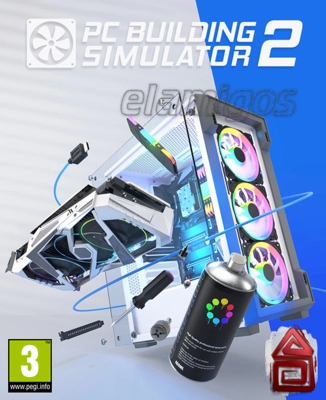
PC Building Simulator 2 is a first-person PC construction and business simulation for Windows, developed by Spiral House and published by Epic Games Publishing. The current PC storefront listing is still presented under the original name on the Epic Games Store, with no verified rebrand or replacement edition. Its focus is practical: diagnose customer machines, assemble compatible systems, improve your workshop, and experiment with enthusiast hardware without risking a real build.
The game is designed for solo players and requires an Epic ID on PC. It combines a structured business campaign with an unrestricted creative mode, making it useful both as a relaxed hardware sandbox and as an approachable introduction to the logic of assembling, upgrading, and troubleshooting desktop computers.
Run a PC repair business in Career Mode
Career Mode is the main progression path. You begin with a small workshop and take customer jobs involving repairs, upgrades, cleaning, software tasks, and complete system builds. Each contract asks you to interpret the brief, select suitable components, complete the work in the correct order, and protect your profit margin.
The business layer gives each build a practical purpose. You are not simply placing parts in a case; you are balancing customer requirements, available funds, workshop improvements, and reputation. Completing work accurately helps unlock new tools and equipment, while mistakes can reduce the value of a job or leave a customer dissatisfied.
For players who are new to PC hardware, the guided structure is more useful than a purely decorative building sandbox. The game presents component installation as a sequence of understandable tasks, allowing beginners to learn the relationship between cases, motherboards, processors, memory, storage, cooling, power delivery, and graphics hardware through hands-on interaction.
Free Build and hardware experimentation
Free Build Mode removes the commercial pressure of customer work and opens the catalog for experimentation. The current PC version offers more than 1,200 components from over 40 hardware brands, including names such as AMD, NVIDIA, Intel, MSI, ASUS, NZXT, Razer, Corsair, Cooler Master, ASRock, Palit, Kolink, and Biwin.
This mode is the strongest reason to choose the sequel over a conventional management game. You can plan a system around a particular case, cooling approach, color scheme, or performance target, then inspect how the parts interact inside the finished machine. Component compatibility matters, so the process rewards players who pay attention to form factors, cooling space, power requirements, and the practical limits of a chosen build.
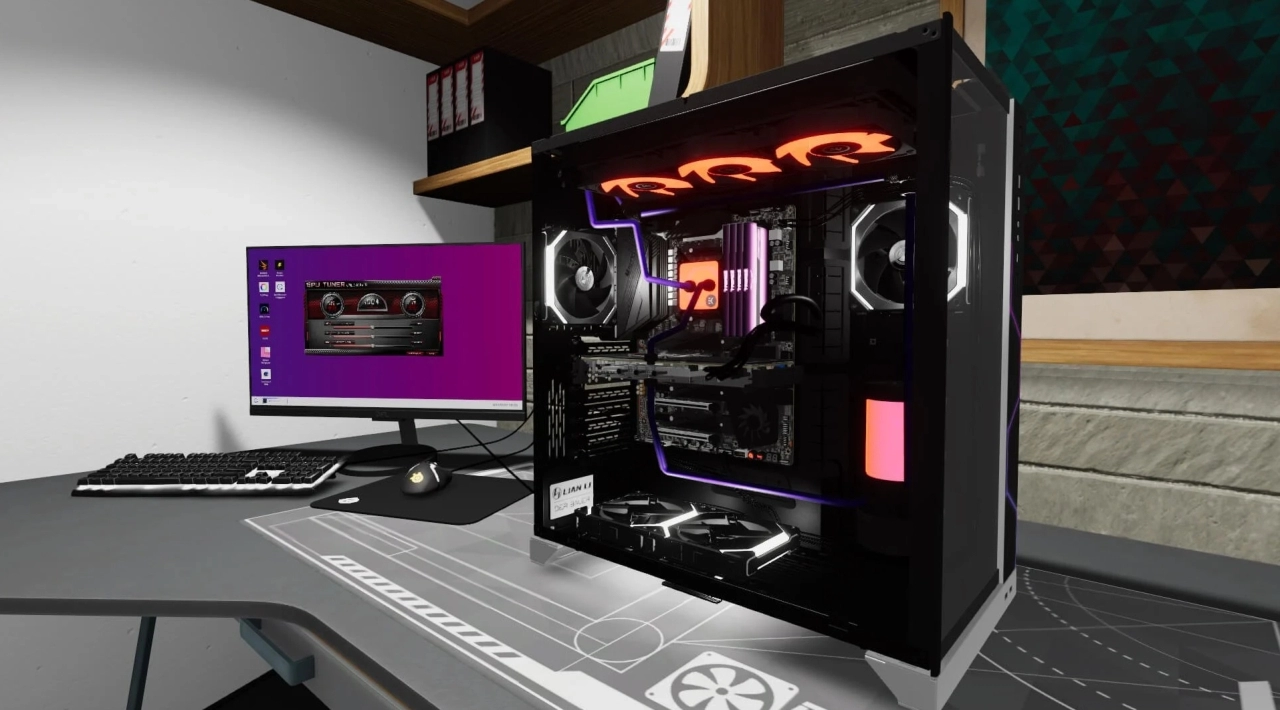
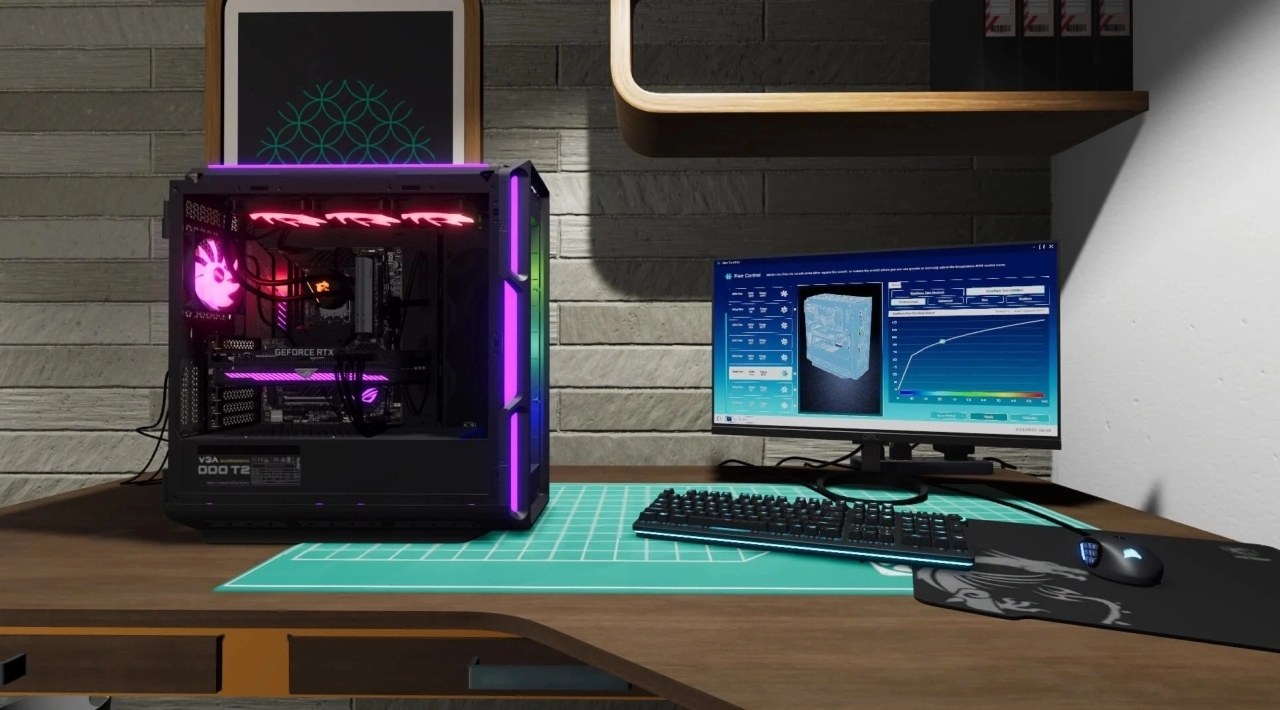
Customization extends beyond choosing parts. You can apply sequenced RGB lighting, spray paint, stickers, and custom water-cooling elements. The workshop itself can also be personalized with different walls, floors, posters, and furniture, giving Free Build Mode a visual design layer alongside its technical systems.
Cooling, overclocking, and diagnostic tools
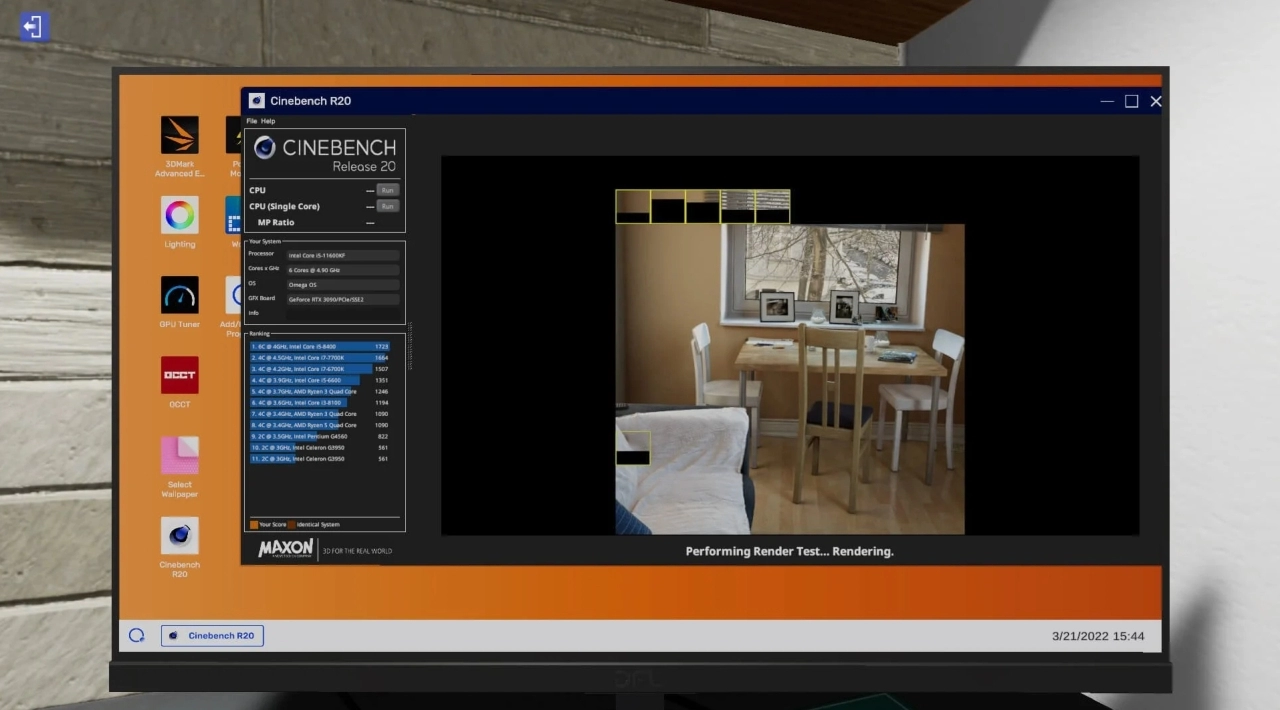
PC Building Simulator 2 goes beyond simple assembly by simulating several enthusiast-level systems. You can install custom water cooling, overclock the CPU and GPU, adjust RAM timings, and use in-game diagnostic applications to understand how a build behaves under load.
The Fan Control app helps you tune cooling behavior, while the thermal camera makes heat distribution easier to inspect. The Power Monitor provides another practical view of a system by showing how the completed configuration consumes power. These tools make the game more than a component-placement exercise, although they are simplified for playability rather than intended to replace real hardware testing.
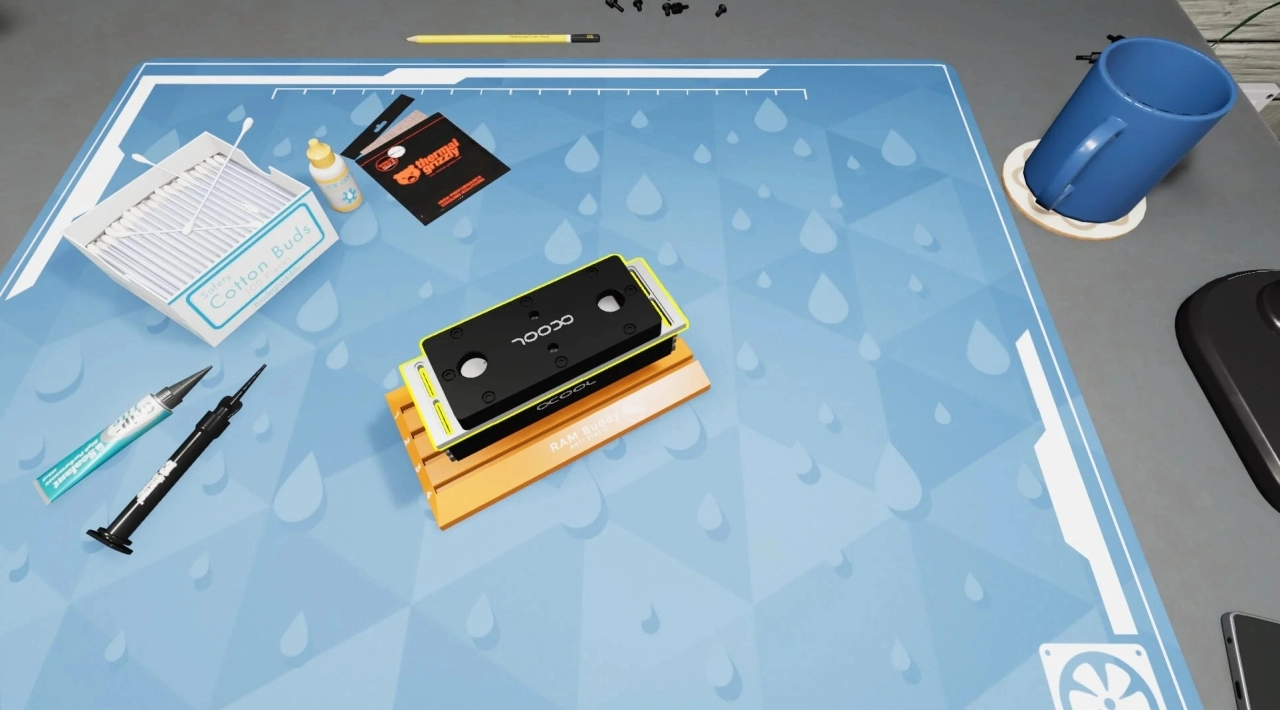
Players can also use custom water blocks for selected CPUs, GPUs, RAM modules, and motherboards. That makes cooling design a genuine build consideration instead of a purely cosmetic option. The result is a more detailed loop: assemble the machine, inspect its behavior, identify weaknesses, and revise the configuration.
Content model and PC edition
The Epic Games Store presents PC Building Simulator 2 as a paid base game with a free demo available separately. The demo covers the opening portion of Career Mode, while the full edition provides the complete career progression and unrestricted Free Build Mode with the larger component selection.
The PC version is distributed through the Epic Games Store and uses an Epic ID. The current storefront information identifies Spiral House Ltd. as developer and Epic Games Publishing as publisher. No verified Steam or GOG PC listing was found during the storefront check, so players should not assume that an equivalent Steam edition or cross-store license exists.
Updates have expanded the hardware catalog and refined input layouts. Recent official storefront information specifically lists additional cases, memory, storage, and current-generation graphics hardware, along with more intuitive controller layouts. The catalog is therefore broader than the launch presentation, but individual brands and parts can change as the game is updated.
Who should play it?
This is a strong fit for players who enjoy hands-on simulation, realistic workshop tasks, management progression, and methodical problem solving. It is particularly approachable if you want to understand how desktop PCs fit together but prefer learning through interaction rather than reading a component manual first.
It also suits experienced builders who want a low-risk space for experimenting with layouts, cooling concepts, RGB presentation, and component combinations. The satisfaction comes from refinement rather than speed: diagnose the issue, choose the right part, install it correctly, and verify that the final system meets the job.
It is less suitable for players seeking multiplayer, competitive online play, or a traditional story-driven adventure. The game is single-player only, and its long-term appeal depends on enjoying repeated repair, upgrade, customization, and optimization tasks.
Related PC simulation games
Players who enjoy the workshop progression and practical task structure may also like detailed first-person repair simulations such as Car Mechanic Simulator 2021, although that game focuses on vehicles rather than computer hardware.
For a broader construction angle, first-person building sandboxes such as House Builder offer the same hands-on rhythm of gathering the right materials, following a process, and gradually completing a detailed physical project.
PC Building Simulator 2 FAQ
Is PC Building Simulator 2 still called PC Building Simulator 2?
Yes. The current official PC storefront and publisher materials continue to use PC Building Simulator 2. No verified PC rebrand, renamed edition, or replacement title was identified.
Where is PC Building Simulator 2 available on PC?
The verified PC storefront listing is on the Epic Games Store. An Epic ID is required to play the Windows version. No current Steam or GOG listing was verified for the sequel.
Does PC Building Simulator 2 have multiplayer or co-op?
No. The PC edition is listed as single-player. Its modes are built around solo Career Mode and solo Free Build experimentation rather than online or split-screen co-op.
What is included in Free Build Mode?
Free Build Mode gives you unrestricted access to a large catalog of realistic components. You can assemble custom systems, apply lighting and cosmetic changes, install advanced cooling, alter selected performance settings, and redesign the workshop environment.
Does the game support controllers?
Controller support is available, and official update information notes revised controller layouts intended to make workbench interaction more intuitive. Keyboard and mouse remain natural choices for detailed component handling on PC.
What languages are supported?
The Epic listing identifies English audio and text support for English, French, German, Japanese, Korean, Polish, Brazilian Portuguese, Russian, Simplified Chinese, and Spanish from Spain.
Is there a free way to try the game?
Yes. A separate demo provides the opening five Career Mode levels. The full paid edition is required for the complete career progression and unrestricted access to the larger Free Build component catalog.
System Requirements
Minimum: | Recomended: |
| Processor: Intel Core i5-3570 3.4 GHz / AMD FX-8350 4.0 GHz Graphics: 4 GB GeForce GTX 1050 Ti / Radeon R9 380X Memory: 8 GB RAM Disk space: 8 GB HDD Operating system: Windows 10 | Processor: Intel Core i5-10400 2.9 GHz / AMD Ryzen 5 3600 3.6 GHz Graphics: 6 GB GeForce GTX 1660 Super / Radeon RX 5600 XT Memory: 12 GB RAM Disk space: 8 GB HDD Operating system: Windows 10 |
Screenshots
Trailer/Gameplay
Download
PC Building Simulator 2 (2022), 6.00GB
ElAmigos release, game is already cracked after installation (crack by MrGoldberg).

Updated to version 1.16.07 (17.06.2026).

1. Extract files.
2. Burn or mount the image.
3. Install the game.
4. ElAmigos release, game is already cracked after installation.
5. Play the game. If you like this game, BUY IT!
PC Building Simulator 2 Download
🔒 Premium access required
To see and use the download links, you must be logged in and have an active PREMIUM account.
* Unlock downloads via Torrent and TeraBox.
Torrent Download
The best torrent download speeds are with qBittorrent!