Football Manager 26
Edit date: 7-07-2026, 14:02
Reason: Updated to version 26.3.2 (09.06.2026)
- Category:
- Release date:
- Game Genre:Sports, Football Management, Manager, Simulation, Strategy, Singleplayer, Multiplayer, Online
- Developer:Sports Interactive
- Release:ElAmigos
- Platform:PC
- Languages (subtitles):English, French, Italian, German, Spanish, Spanish (Mexico), Russian, Polish, Dutch, Danish, Portuguese, Norwegian, Swedish, Turkish, Greek, Arabic, Korean, Japanese, Simplified Chinese
- Crack:Hypervisor
- Game size:5.89GB
Game Description
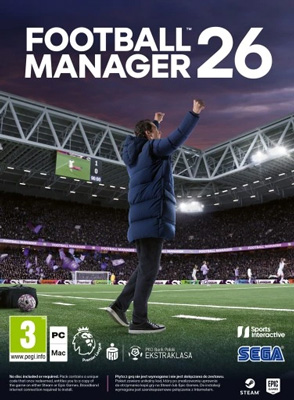
Football Manager 26 PC is a football management simulation from Sports Interactive and SEGA, built around long-term club careers, tactical planning, recruitment, staff delegation, and matchday decisions rather than direct player control. The current PC storefront name is simply Football Manager 26, usually shortened to FM26. Football Manager 26 Console, Touch, and Mobile are separate platform editions, not rebrands of the full PC game.
FM26 is currently available for PC through Steam, the Epic Games Store, the Microsoft Store, and PC Game Pass. It is a full-scale management game rather than a free-to-play team-building product, with an optional In-Game Editor listed separately on Steam.
Build a club around your football philosophy
The central loop is a continuous managerial career. You choose a club or begin unemployed, define your manager profile, configure the football world you want to load, and then make decisions across squad building, training, tactics, contracts, scouting, finances, staff, and board expectations.
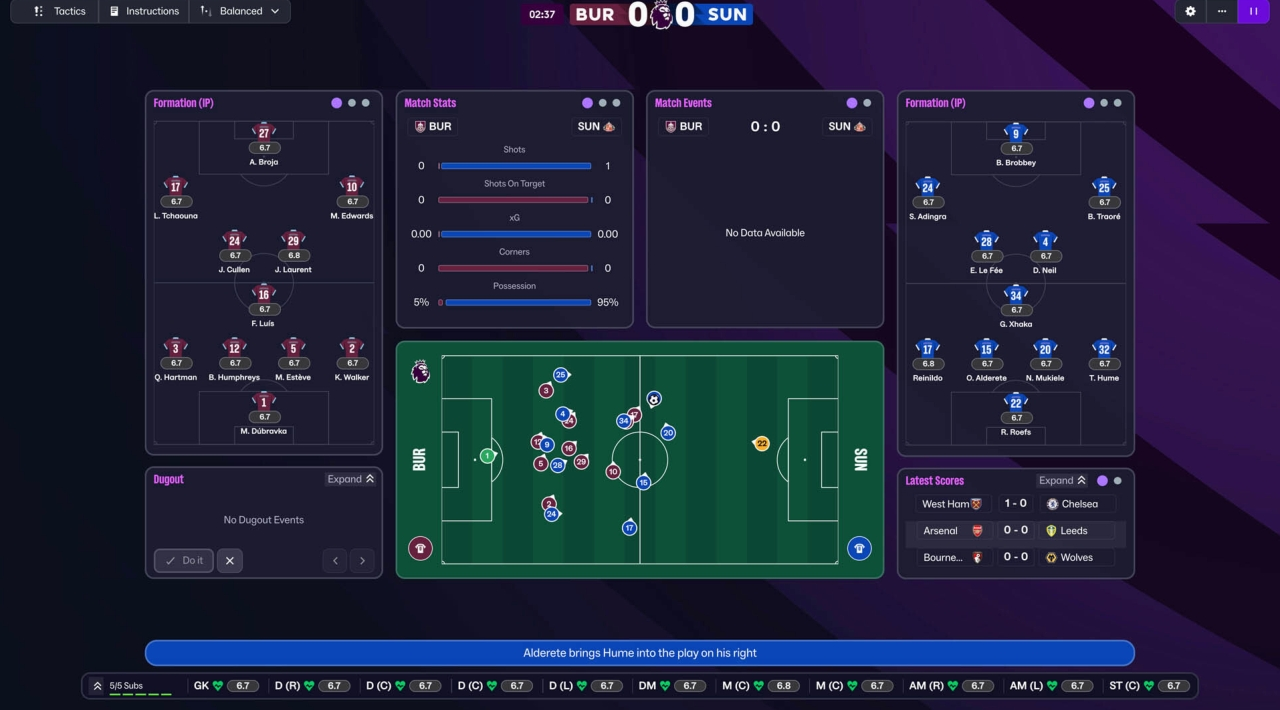
Matches are observed through the simulation rather than played directly. Your influence comes from team selection, tactical instructions, substitutions, player roles, opposition analysis, set-piece preparation, and in-match adjustments. The long-term challenge is connecting those decisions into a coherent club identity while handling injuries, morale, form, player development, and pressure from the board and supporters.
FM26 is especially suited to players who enjoy tracing cause and effect across an entire season. A transfer changes squad balance, a new role changes the shape of your team, and a tactical compromise can affect both results and dressing-room confidence.
Dual formations change the tactical layer
The defining tactical addition is the separation between In Possession and Out of Possession formations. Instead of treating one formation as the complete description of your team, you can establish how the side shapes up with the ball and how it settles when defending.
The redesigned tactics area presents In Possession, Out of Possession, Both, and Combined views. The Combined view helps you make personnel changes across both shapes, while the Visualiser shows how roles and instructions influence the team across different areas of the pitch.
FM26 also introduces new out-of-possession roles and removes the older duty structure. Player suitability remains connected to positional familiarity and attributes, with role ratings appearing in reports. The result is a system that gives experienced managers more control over pressing, defensive blocks, transitions, and asymmetrical shapes, while still offering staff guidance for less confident players.
Recruitment uses the same tactical language. Scouting searches and Recruitment Focuses can consider the roles your formations require, helping you find players who fit a specific phase of play instead of relying only on position labels or headline attributes.
Recruitment is now a clearer club-building workflow
FM26 consolidates scouting, transfers, and backroom recruitment into an expanded Recruitment Hub. The change matters because squad building is not treated as an isolated transfer screen; it is connected to club vision, staff structure, tactical needs, financial rules, and the expected development path of younger players.
The TransferRoom integration adds Requirements and Pitch Opportunities. Requirements let you communicate the type of player you want, including position, role, playing time, transfer type, and age profile. Pitch Opportunities exposes needs elsewhere in the game world, creating another route for finding deals and shaping outgoing business.
These tools do not remove the judgment involved in recruitment. You still need to evaluate reports, contact agents, negotiate terms, balance wages, and decide whether a player fits your culture and tactical plan. Their purpose is to make the market more proactive and readable, particularly during long saves where squad planning becomes a constant responsibility.
Men's and women's football share one ecosystem
Women's football is integrated into the same FM26 career ecosystem rather than being presented as a separate game. At setup, you can load men's leagues, women's leagues, or a combination of both, then move between the two areas of the football world as your managerial career develops.
The women's database includes more than 36,000 players and more than 5,000 non-players, with playable competitions across multiple nations and continents. The simulation also reflects differences in contracts, finances, transfer markets, injuries, player movement, and club structures instead of applying a simple reskin of the men's game.
The addition broadens the save structure in practical ways. You can begin with an established women's club, build a career across both sides of the sport, or use the expanded player pool to discover a different set of recruitment and development challenges.
Matchday presentation and licensed competitions
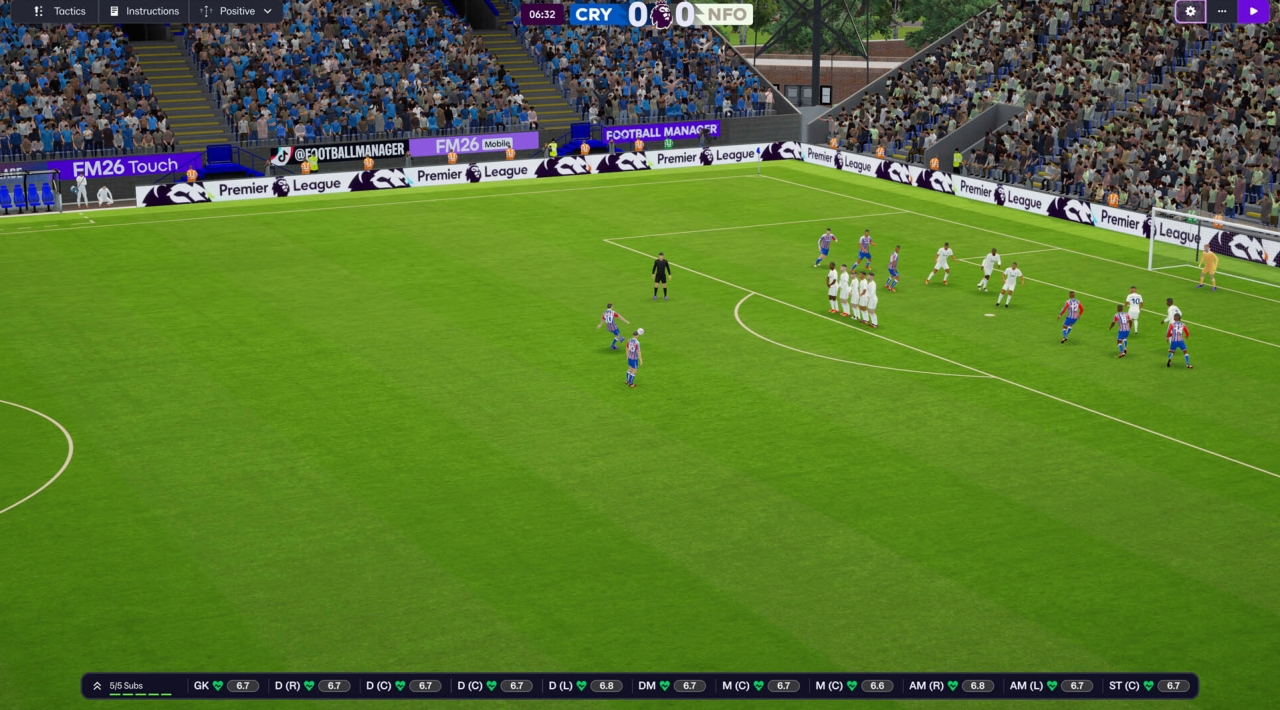
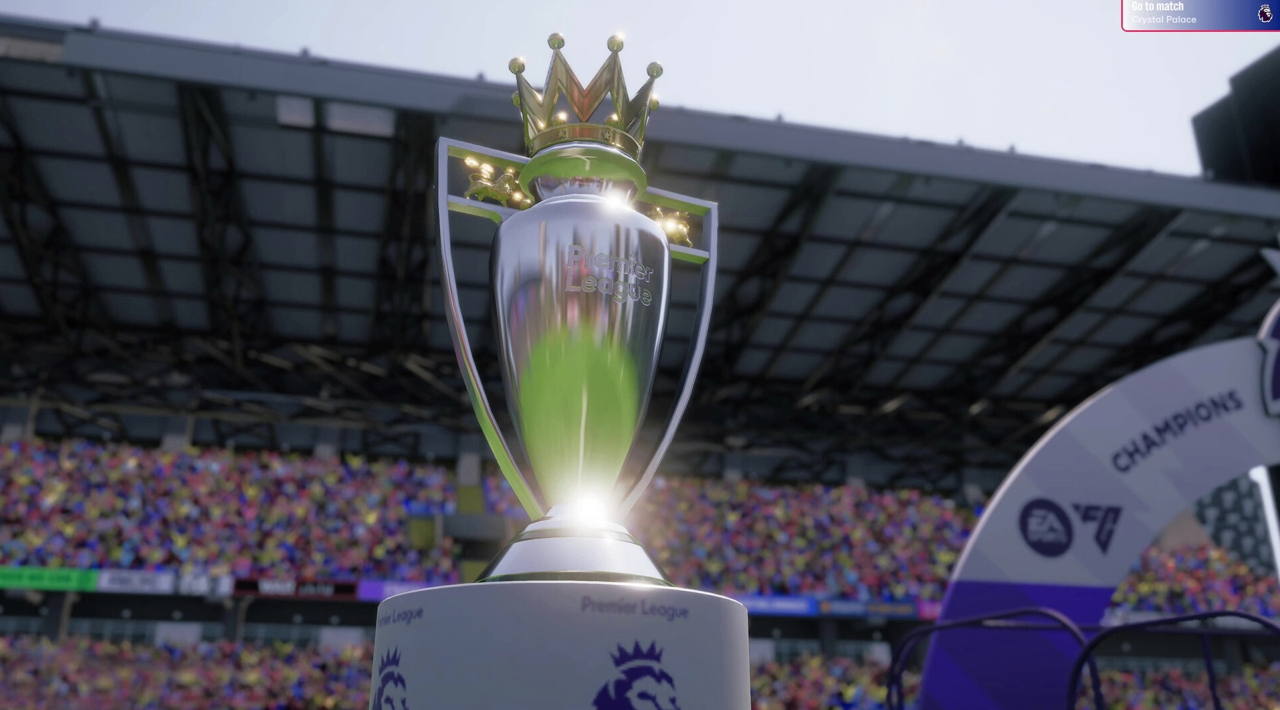
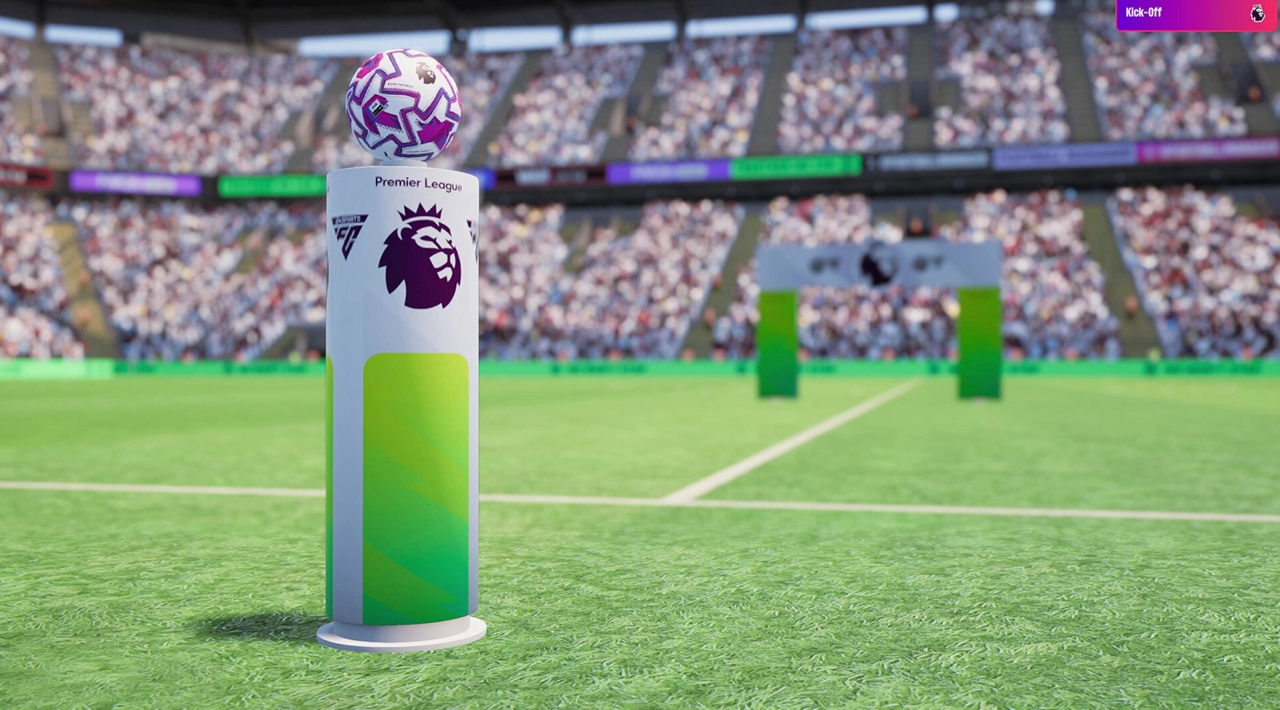
FM26 moves to the Unity engine, supporting a rebuilt interface and a more presentation-focused matchday experience. The match engine includes new on-ball animations, revised player movement, improved stadium environments, a wider camera system, and a Broadcast mode inspired by television coverage.
Replays use different angles according to the type of goal, while pre-match and post-match presentation has been expanded for major licensed competitions. The Premier League appears with official club badges, kits, and player photos, and the game also includes licensed competition additions across the wider database.
International management is part of the current FM26 feature set, including a dedicated FIFA World Cup 2026 competition setup with official tournament presentation. This gives national-team careers a clearer identity than a standard club save, although the main PC experience remains focused on the broad club-management sandbox.
PC features, controls, and localization
The PC edition is designed primarily for keyboard and mouse management. Full controller support is not advertised on the Steam listing, so players should expect to navigate the dense interface, reports, tactics screens, and recruitment tools with traditional PC inputs.
Steam lists Steam Workshop, Steam Cloud, achievements, Family Sharing, single-player, and multiplayer support. It also identifies Denuvo Anti-tamper and requires agreement to a third-party EULA. The Epic Games Store lists single-player and online multiplayer, while PC Game Pass provides another official route to the PC edition.
The interface is available in 19 languages, including English, French, Italian, German, Spanish, Danish, Dutch, Greek, Japanese, Korean, Norwegian, Polish, Portuguese, Russian, Simplified Chinese, Swedish, Turkish, and Arabic. Storefront localization is interface-based; FM26 is not presented as a fully voiced football broadcast experience.
The new Portal, top navigation bar, improved search, and in-game FMPedia are important quality-of-life systems. They are designed to reduce the number of screens needed to reach information and provide contextual explanations for concepts such as tactics, Financial Fair Play, board confidence, and squad management.
Who should play Football Manager 26?
FM26 is a strong fit for players who want a detailed football operations simulator with a persistent career, extensive scouting, staff delegation, tactical experimentation, and multiple routes to success. It rewards patience and observation more than quick reflexes.
It is less suitable if you want direct control of footballers, fast arcade matches, or a lightweight career mode that moves from fixture to fixture with minimal administration. The PC edition is at its best when you enjoy reviewing information, testing a plan, and living with the consequences of decisions made several weeks earlier.
Players seeking another menu-driven football management game with a different balance of club operations and match presentation can compare FM26 with football management simulations such as We Are Football. The comparison is useful because FM26 emphasizes tactical detail, database depth, and staff workflows, while alternatives may place more emphasis on club finances, presentation, or shared local management.
Similar football management games on PC
For a more unusual management experience, stylized football lifestyle management in Lords of Football: Royal Edition shifts attention toward player routines, morale, behavior, and off-pitch squad problems. It is not a direct substitute for FM26, but it shows how differently a football manager can treat team psychology.
Players interested in older all-in-one club simulations may also find broad football management systems like FIFA Manager 13 relevant. Its ownership, stadium, merchandise, personal-life, and Team Dynamics systems make it a historical alternative, while FM26 is more focused on modern recruitment, tactics, staff work, and the evolving match engine.
Football Manager 26 FAQ
Is Football Manager 26 the current name on PC?
Yes. The current PC storefront title is Football Manager 26, commonly abbreviated as FM26. Football Manager 26 Console, Touch, and Mobile are separate editions optimized for other platforms.
Is Football Manager 26 free to play?
No. The PC version is sold as a conventional full game through major PC storefronts and is also available through PC Game Pass. The Steam listing separately identifies the In-Game Editor as optional additional content.
Does Football Manager 26 have multiplayer?
Yes. The PC storefront listings identify multiplayer or online multiplayer support alongside the single-player career experience. It is built around shared management careers rather than local split-screen football matches, and the exact account and platform requirements depend on the storefront version.
Can you play women's football in the same career?
Yes. You can load men's leagues, women's leagues, or both during setup, then move between men's and women's football within the same broader ecosystem. The two sides also use different financial, contractual, transfer, and player-development realities.
Does FM26 support a controller on PC?
Full controller support is not advertised on the Steam listing. Keyboard and mouse should be treated as the standard input setup for the PC edition.
Does Football Manager 26 include an editor?
The Steam storefront lists Football Manager 26 In-Game Editor as separate optional content. The base game also includes Steam Workshop support for compatible community-created content, but the editor and Workshop serve different purposes.
System Requirements
Minimum: | Recomended: |
| Processor: Desktop: Intel Core i3-530 or AMD FX-4100. Laptop: Intel Core i3-330M or AMD A6-5200. Requires SSE4.2 & SSSE3. Requires a 64-bit processor. Graphics: Desktop: NVIDIA GeForce GTX 960 or AMD Radeon R9 380 or Intel HD 530. Laptop: NVIDIA GeForce GTX 960M or AMD Radeon R9 M375 or Intel HD 530. 512MiB VRAM. Memory: 4 GB RAM Disk space: 20 GB available space Operating system: Windows 10 (22H2) or Windows 11 (23H2). Requires a 64-bit OS. | Processor: Desktop: Intel Core i5-9600 or AMD Ryzen 5 2600. Laptop: Intel Core i5-1035G7 or AMD Ryzen 7 3750H. Requires a 64-bit processor. Graphics: Desktop: NVIDIA GeForce RTX 2060 or AMD Radeon RX 5600 XT. Laptop: NVIDIA GeForce RTX 2060 Mobile or AMD Radeon RX 6600M. Memory: 12 GB RAM Disk space: 20 GB available space Operating system: Windows 11 (23H2). Requires a 64-bit OS. |
Screenshots
Trailer/Gameplay
Download
Football Manager 26 *Hypervisor* (2025), 5.89GB
ElAmigos release.

Updated to version 26.3.2 (09.06.2026)

1. Extract files.
2. Burn or mount the image.
3. Install the game.
4. ElAmigos release, game is already cracked after installation.
5. Play the game. If you like this game, BUY IT!- install game
- educate yourself first by reading _Info.txt and DenuvOwO.nfo; CPU virtualization must be enabled in BIOS (some motherboards have it enabled as default setting)
- start as Administrator "VBS.cmd" from game folder, press 1, restart computer, then on the next boot press F7 when new window will show up (driver signature OFF)
- start from desktop icon
Once you make it work, any other game with Hypervisor can be installed and played from desktop icon (as long as you don't restart/shutdown PC - then again VBS.cmd > 1 > reboot > F7 > desktop icon)
Football Manager 26 *Hypervisor* Download
🔒 Premium access required
To see and use the download links, you must be logged in and have an active PREMIUM account.
* Unlock downloads via Torrent and TeraBox.
DLC: In-Game Editor.
Torrent Download
The best torrent download speeds are with qBittorrent!